
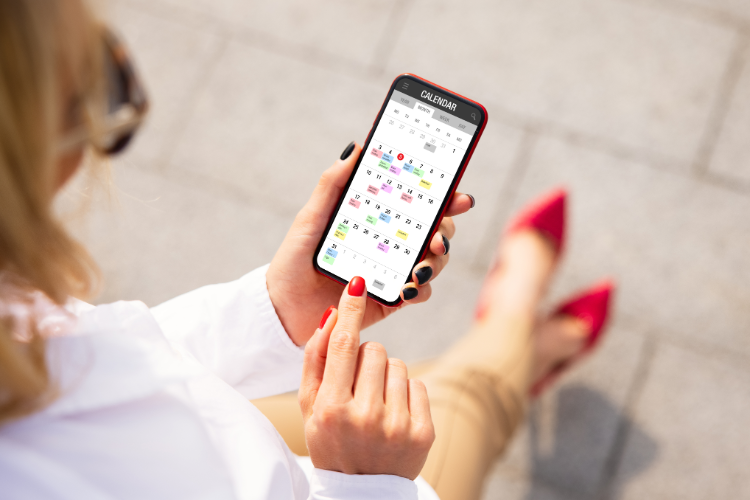
The 60-second answer: Apple Reminders is a strong default for simple prompts and grocery-style lists. Power users outgrow it when they need execution under load: multi-owner accountability, prep-time cues that survive a noisy notification stack, calendar-level truth, and reminders that arrive where people already act. The upgrade is rarely “more reminder lists”—it is a tiered system plus a delivery channel that matches real behavior, often including WhatsApp for last-mile follow-through.
| This guide fits if… | Skip it if… |
| You have optimized Reminders but still miss starts, handoffs, or deadlines | Apple Reminders already gives you near-perfect on-time execution |
| You want a workflow upgrade, not an app beauty contest | You only need occasional one-tap alerts |
| You coordinate other people (partner, kids, team) and need clearer ownership | You want a list of 30 apps with no decision framework |
What “Apple’s limits” means in real life (not fanboy drama)
Reminders improved a lot on iPhone. The ceiling is not “missing features,” it is architecture:
- List sprawl: many reminders feel organized but compete for the same calendar hours invisibly.
- Alert economics: iOS can only nag you so effectively before you train yourself to swipe everything away.
- Shared reality: shared lists help, but complex logistics still need explicit time blocks and owner-specific prompts.
- Cross-ecosystem friction: households and teams are rarely 100% Apple, which weakens “everyone lives in Reminders.”
- Automation ceiling: Shortcuts and Focus modes help, but building a reliable operations layer still takes glue—and maintenance.
Power users do not abandon Apple first. They reassign roles so Reminders stops pretending to be the whole system.
Primary CTA: If app notifications are trained away, test high-response delivery for must-not-slip items: reminder WhatsApp messages.
The power-user move #1: three reminder tiers (stop equalizing urgency)
Failure mode: everything is “important,” so nothing is.
Use three tiers only:
- Tier A — execution-critical: missed item creates real damage (fees, safety, career, relationship trust). Gets start cue + final cue + explicit next action.
- Tier B — planned work: belongs on a calendar block first; reminders support the block, not the other way around.
- Tier C — optional/nice: minimal notifications; batch review instead of pings.
Most “Reminders doesn’t work” complaints are Tier A items treated like Tier C.
The power-user move #2: calendar-as-source-of-truth for anything with a time consequence
If it must happen by a time, it needs a defended slot—not only a due flag. Power users migrate Tier A/B items into a calendar-first view, then use Reminders (or other tools) as signals around those blocks.
Quick rule: if slippage compounds, it belongs on the timeline.
Primary CTA: Unify tasks and calendar thinking before adding more apps: best todo list app with tasks and calendar.
The power-user move #3: better language, not more reminders
Power users rewrite titles like operators:
- Bad: “Tax stuff.”
- Good: “Open folder, upload W-2, submit by 6pm—20 min.”
Pair with timing discipline:
- Start cue (5–15 minutes before the planned block).
- Final cue (hard stop protection).
Two well-written cues beat six vague ones.
The power-user move #4: Shortcuts, Focus, and widgets—when they help vs when they distract
Use automation to reduce friction, not to simulate a product team inside your phone.
- Helps: one-tap capture, templated reminder sets, location-based nudges for repeatable errands.
- Hurts: brittle shortcuts you forget to maintain; complex flows that break on iOS updates.
- Reality check: if your automation needs documentation, it will fail under stress.
What people add after Reminders (categories, not a junk drawer)
When Apple’s stack stops matching workload, power users pick one primary add-on pattern:
- Task OS upgrade: stronger projects/filters for solo backlog management (still needs calendar discipline).
- Calendar execution upgrade: timeline-first planning with stronger reminder delivery and shared logistics.
- Channel upgrade: same plan, better last-mile notifications (chat/SMS-style reachability).
Avoid installing three replacements. Pick the bottleneck: clarity, time allocation, or delivery.
Why WhatsApp shows up in serious reminder stacks
It is not hype—it is response rate. Many users ignore banner #37 from an app they “should” open, but still process chat threads because that is where life already happens.
Pattern:
- Capture quickly (voice/text).
- Convert commitments into scheduled reality.
- Deliver Tier A prompts in WhatsApp with next-action clarity.
Primary CTA: Automate the boring reliability layer: automated reminders on WhatsApp.
Decision table: stay on Reminders vs add an execution layer
| Your symptom | Best next step |
| Missed starts despite reminders | Calendar blocks + start/final cue pair; reduce total ping count |
| Shared logistics confusion | Owner-specific prompts; timeline truth; fewer “shared list” assumptions |
| Alert fatigue / swipe habit | Tiering + channel shift for Tier A only |
| Everything is captured, nothing is time-bound | Weekly hardening: top commitments must earn calendar space |
Where Fhynix fits (without pretending Reminders is “wrong”)
Fhynix is aimed at users who already understand planning but need consistent execution—especially when life is interrupt-driven and reminders must survive real channels.
- Calendar-first operations: fewer competing surfaces; clearer “when reality happens.”
- WhatsApp-capable delivery: for people who do not reliably live inside planner apps.
- Household-grade handoffs: reminders that match ownership, not generic shared noise.
14-day proof test: pick five Tier A commitments. Measure only on-time starts and on-time completions. If delivery changes outcomes more than reorganizing lists, you found the real limit.