
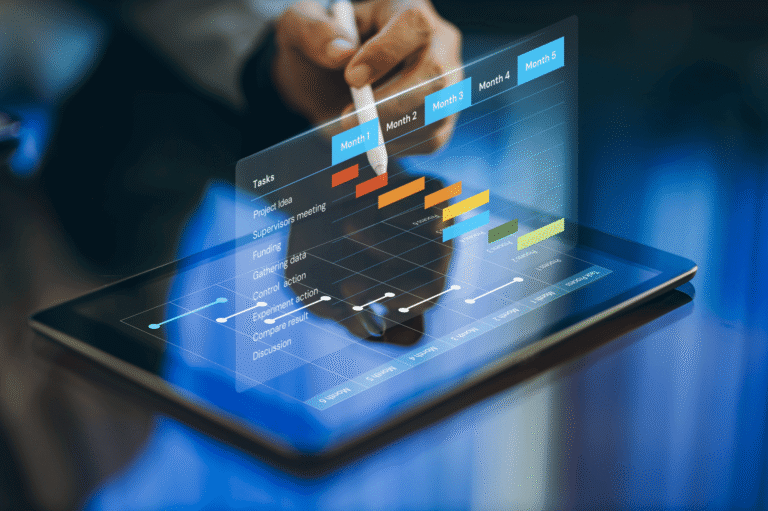
A single‑timeline productivity app merges everything — tasks, events, habits, reminders — into one continuous, scrollable timeline. No more switching between a calendar for appointments and a to‑do list for chores. It’s the closest thing to a central command centre for your day.
We’ve all been there: you check your calendar for meetings, then open a separate app to see your task list, then another to track habits. Fragmentation creates mental load. A single‑timeline productivity app eliminates that friction by displaying all your commitments in one unified view. Think of it as the all in one planner app you’ve been looking for — where work deadlines sit next to gym sessions and grocery reminders.
Why “one timeline” changes everything
Traditional planning separates work and life into silos. You have a work calendar (Outlook, Google Calendar) and a personal to‑do list (Reminders, Todoist). But your brain doesn’t experience life in silos — you think about the afternoon meeting while making breakfast. A single‑timeline productivity app gives you a holistic picture: you see that a 10 AM deadline leaves only 30 minutes for focused work before lunch with a friend. This visibility prevents overcommitting and reduces stress.
For students, this is a game changer. Our best daily routine for students guide explains how unified schedules improve focus.
What makes an “all in one planner app” different?
An all in one planner app goes beyond simply showing tasks and events together. It typically includes:
- Task management with due dates and subtasks.
- Calendar integration (Google, Apple, Outlook) so external events appear automatically.
- Habit tracking — schedule your morning run and mark it done.
- Reminders & notifications (WhatsApp, push, email) so you never miss a block.
Fhynix embodies this approach — you can learn more on the homepage or see how it compares in Me+ alternative.
The heart of it: Unified Timeline
The Unified Timeline is the defining feature of a single‑timeline productivity app. Instead of separate tabs, everything flows vertically: your 8 AM workout, 9:30 deep work session, 12 PM lunch, 2 PM client call, 4 PM study block, 7 PM family time. You can scroll through your day (or week) and see exactly what’s coming. No context switching, no missed tasks. It’s like having a personal assistant who keeps every commitment in one notebook.
This design is especially helpful for busy parents. Check family calendar apps and shared family calendar to see how timelines keep everyone aligned.
Getting started: your first unified week
- Pick a tool that supports single‑timeline view — many are listed in best iPad apps and daily routine apps.
- Import existing calendars (work, school, family) so everything appears in one place. Here’s how to merge calendars on iPhone.
- Add your recurring tasks and habits — gym, reading, weekly review. Use habit tracker apps for inspiration.
- Drop in one‑off tasks by assigning them a time slot. That’s the essence of time blocking.
Build this routine in 2 minutes – for free
Add your class schedule with voice
Get WhatsApp reminders before study blocks
Track habits & assignments in one unified calendar
⭐ Free tier • No credit card needed • 4.7 stars
Merge calendars seamlessly
A true single‑timeline app pulls events from all your existing calendars. Whether it’s Google Calendar for work, iCloud for family, or Outlook for college, they all appear in one place. That’s the magic of a single‑timeline productivity app. For step‑by‑step instructions, see merge calendars on iPhone and family calendar apps.
Reminders that respect your timeline
When everything lives on one timeline, reminders become smarter. You can set alerts via WhatsApp, push, or email for both tasks and events. This ensures you never miss a study session or a friend’s birthday. Check best reminder apps and iPhone birthday reminders.
How a unified timeline helps with procrastination
Procrastination often stems from ambiguity: “I’ll do it later” but later never comes. When a task is pinned to a specific time block, it becomes real. This is especially effective for people with ADHD — our guide ADHD task paralysis explains how visual timelines reduce overwhelm. Also explore anti‑procrastinator app.
Build habits that stick
With a unified timeline, habits like “meditate at 7 AM” become recurring blocks. You can check them off right on the timeline, and many apps offer streaks or rewards. For motivation, read gamification in apps and best habit tracking apps.
Real‑life example: a student’s unified timeline
Let’s say you’re a student. Your single timeline shows: 9‑10 AM lecture (imported from school calendar), 10‑11 study block (task: review notes), 11:30 gym (habit), 1 PM lunch with friends, 2‑4 PM lab, 5‑6 PM assignment work. You see at a glance that you have a free slot at 4 PM to start the reading. This is exactly what our student routine guide recommends.
For professionals and shift workers
Remote workers juggling meetings across time zones benefit enormously from a single timeline. Combine work calendars with personal tasks so you never schedule a dentist appointment during a sprint review. See work schedule apps and time management for professionals.
Special projects: wedding, shopping, events
A unified timeline is also perfect for project‑based planning. Use it for wedding to‑dos, festive shopping, or holiday prep. Our wedding checklist and festive shopping guide show how to integrate deadlines and tasks.
Common questions about single‑timeline apps
Yes, but the timeline will pull tasks from them. Many to‑do + calendar apps sync both ways.
Most apps allow you to filter calendars or set visibility by day. Check best calendar apps for custom views.
Absolutely. AI calendars can suggest optimal times for tasks based on your habits.
Your life in one scroll
The promise of a single‑timeline productivity app is simple: stop juggling and start living. By uniting every commitment in one place, you gain clarity, reduce anxiety, and actually get more done. Ready to try? The student tip above shows you how to start for free, or explore more tools like lightweight planners and Google habit integrations.
Start your unified timeline today — everything you need, none of the clutter.