

Quick Answer: A daily routine template should cover five blocks — morning, deep work, midday reset, afternoon admin, and evening wind-down. The template below covers all three lifestyles: student, professional, and parent. Add it to Fhynix and get WhatsApp reminders before every block.
What Is a Daily Routine Template?
A daily routine template is a structured layout that helps you plan and organize each part of your day — from work and wellness to personal commitments and habits. Instead of making new to-do lists every morning, a template gives you a consistent framework to fill in and adjust as needed.
The purpose of a daily routine template is simple: to help you build rhythm and predictability. It eliminates mental clutter by giving you a predefined structure to work from. Whether you prefer pen and paper or a digital planner like Fhynix, a well-designed routine template provides a roadmap for your time — helping you stay consistent, focused, and mindful of what matters most.
For 2026, the trend is shifting toward customizable digital templates that adapt to real-life changes. Apps like Fhynix have made this easy with flexible, drag-and-drop timelines that merge daily tasks, events, and reminders into one intuitive layout. If you want more structure, you can also explore how to make a daily routine using planner apps or try a daily routine app to automate recurring habits.
Why Use a Daily Routine Template?
Consistency is one of the biggest predictors of long-term productivity. But most people struggle with it because daily life is unpredictable. A daily routine template introduces structure without rigidity — giving you enough flexibility to pivot when plans change.
Here’s how it helps:
Improves focus: By visually outlining your day, you avoid the mental exhaustion of deciding what to do next.
Enhances time management: Each block of time has a clear purpose, reducing procrastination.
Tracks habits and progress: Templates like those built into Fhynix let you integrate recurring routines — such as exercise, journaling, or reading — directly into your daily calendar. If you’re building habits from scratch, you may also find this guide on how to create a habit tracker useful.
Balances work and rest: By scheduling breaks, self-care, and personal time, you prevent burnout and maintain energy throughout the day.
Daily routine templates are useful for everyone — students balancing classes and study sessions, professionals managing deadlines and meetings, and entrepreneurs juggling projects and clients. Fhynix, for example, helps all three groups by combining a structured planner with built-in habit tracking and smart reminders through WhatsApp — so you never miss an event or task. For an even deeper workflow, pairing a routine template with a to-do list system can create a complete productivity setup.
What Makes a Good Daily Routine Template?
Wake up + hydrate + 5-min stretch
Wake up + hydrate + workout (30 min)
Wake up + kids’ morning prep
Breakfast + review today’s schedule
Shower + breakfast + review calendar
Breakfast + school drop-off prep
First study block — hardest subject first
Deep work block #1 — no meetings
School drop-off + commute
Short break + habit check-in
Meetings + emails + collaboration
Deep work block #1
Lunch + 15-min walk
Lunch break — away from screen
Lunch + personal errands
Second study block — revision + practice
Admin, emails, low-focus tasks
Deep work block #2
Assignments + project work
Deep work block #2 — creative tasks
School pick-up + kids’ activities
Exercise or walk (30 min)
End-of-day wrap-up + tomorrow’s plan
Family time + dinner prep
Dinner + no screens at table
Dinner + family time
Family dinner + homework help
Reading or hobby (no social media)
Personal time — reading, fitness, hobby
Kids’ bedtime routine
Journal + tomorrow’s top 3 tasks
Journal + review tomorrow’s calendar
Personal time + wind-down
No screens · Sleep
No screens · Sleep
No screens · Sleep
Screenshot, print, or copy this template. Then add it to Fhynix — AI schedules it and WhatsApp reminds you before every block.
🔔 Want WhatsApp reminders for every block in this template?
Add this routine to Fhynix in one tap. AI schedules it. WhatsApp reminds you 10 minutes before each block — so you actually stick to it.The best daily routine templates are clear, flexible, and easy to update. They guide your day without overwhelming you.
Must-Have Elements:
Tasks and priorities: Space to record key goals and urgent to-dos. For deeper structure, many users also rely on a solid to-do list and task system to complement their routine template.
Time blocks: Visual representation of how your day unfolds. Fhynix achieves this through its unified calendar view, where events, habits, and routines appear in color-coded blocks — similar to most time-blocking planners that help you manage your day hour by hour.
Breaks and rest periods: Prevents overloading your schedule.
Reflection section: Option to note what worked and what didn’t — something you can easily do by adding notes to tasks in Fhynix.
Common Mistakes to Avoid:
Overloading tasks: Filling every hour can cause fatigue. Fhynix helps prevent this by visually showing available free time on your daily timeline.
Lack of flexibility: A static plan becomes stressful when things change. Fhynix’s drag-and-drop feature lets you instantly reschedule without rewriting your entire day.
Ignoring habit tracking: Repetition builds discipline. Fhynix’s habit integration keeps you aware of small daily goals that compound over time — similar to popular habit tracking systems that support long-term consistency.
A good routine template should feel like support, not control. It should simplify planning while leaving space for spontaneity.
Types of Daily Routine Templates
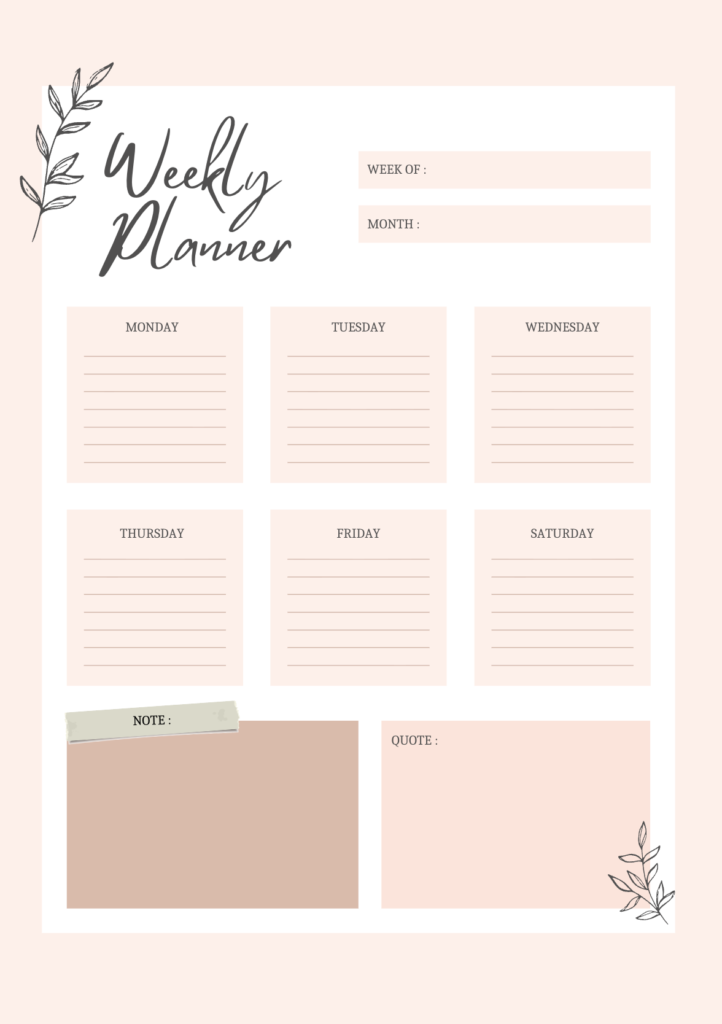
1. Printable Daily Routine Templates (Paper-Based)
For those who enjoy handwriting or journaling, printable templates offer a tactile planning experience. They’re perfect for reflection, goal writing, or offline use.
Great for journaling and offline planning — you can find printable daily planners from platforms like 101Planners, Canva, or OnPlanners.
However, their biggest limitation is lack of adaptability. Once written, adjustments require manual changes. That’s why many users pair paper planners with digital tools like Fhynix — to receive real-time reminders and keep track of commitments across devices.
If you prefer a mix, you may also explore day timers and traditional planners to understand how they differ from digital systems.
2. Digital Routine Templates (Apps & Tools)
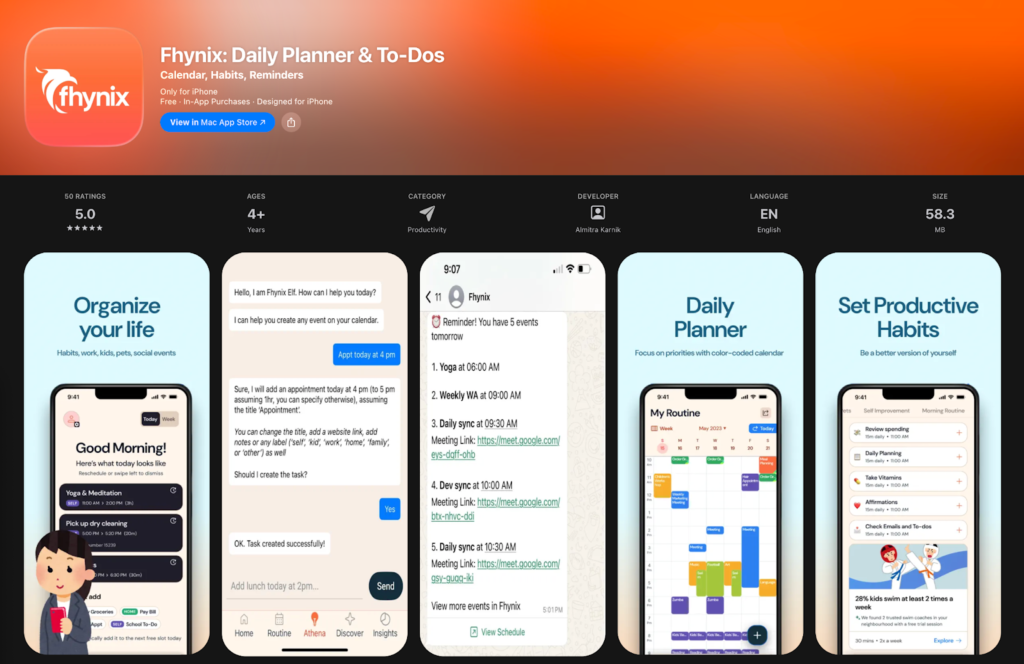
Digital planners bring flexibility, automation, and reminders into your daily structure. They sync across phones, laptops, and tablets, ensuring your schedule stays consistent wherever you go.
For users who prefer mobile and desktop tracking, apps like Fhynix stand out for their simplicity and all-in-one design.
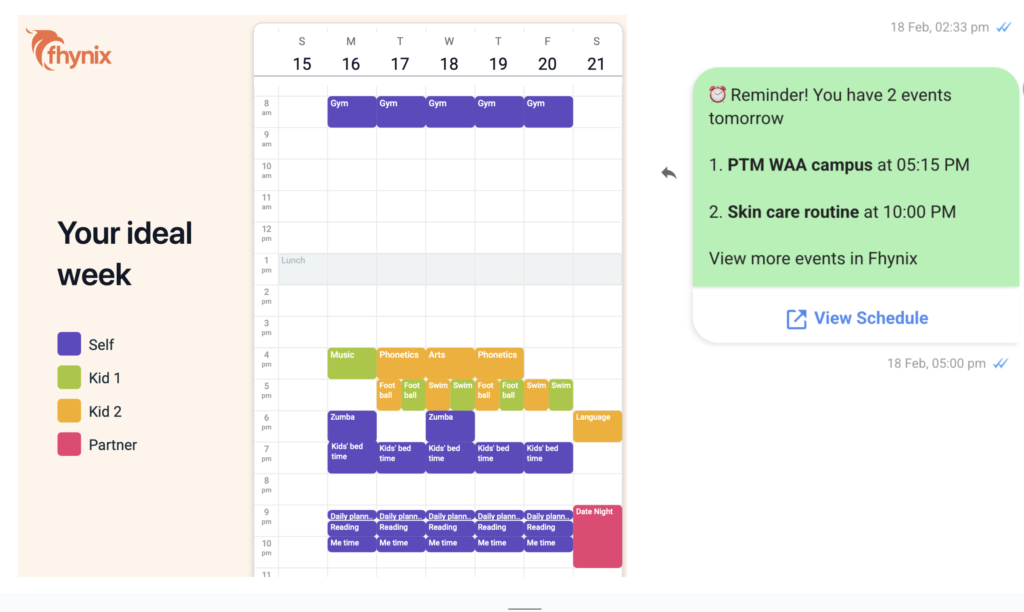
Unlike traditional checklists, Fhynix displays your day visually — every event, task, and habit layered onto a single color-coded timeline. This helps users see how time is distributed, recognize overload, and plan more realistically.
Benefits of digital templates in Fhynix:
- Unified dashboard combining reminders, tasks, and habits
- Daily and weekly layouts for micro and macro planning
- Smart WhatsApp reminders for calendar events
- Seamless cross-device syncing
- Drag-and-drop interface for flexible rescheduling
Other digital options like Notion, TimeCamp, and Smartsheet are also useful, but they often require manual setup. Fhynix, in contrast, offers an out-of-the-box structure ready for real-life scheduling — much like topproductivity apps designed for 2026.
3. Hybrid Templates (Customizable Online Schedulers)
Hybrid systems combine the creative freedom of paper templates with the smart features of digital tools.
For instance, you can design your layout in Canva or Template.net, print it for handwriting, and then sync your actual tasks through a scheduling tool like Fhynix.
Hybrid systems work best for users who like to brainstorm on paper but need automated reminders and time tracking to stay consistent. Fhynix complements this by providing a clean digital space where those handwritten plans can come to life through color-coded scheduling and notification-based accountability.
For families, these hybrid workflows can also pair beautifully with a shared family calendar setup to coordinate routines across multiple people.
10 Best Free Daily Routine Templates in 2026
If you’re looking for a free or low-cost way to organize your day, here are some of the best options available this year — from paper templates to digital planners.
1. Fhynix Daily Planner of Highly Effective People
Modeled around productivity principles, this template focuses on priority management and goal reflection.
2. My Daily Life Template
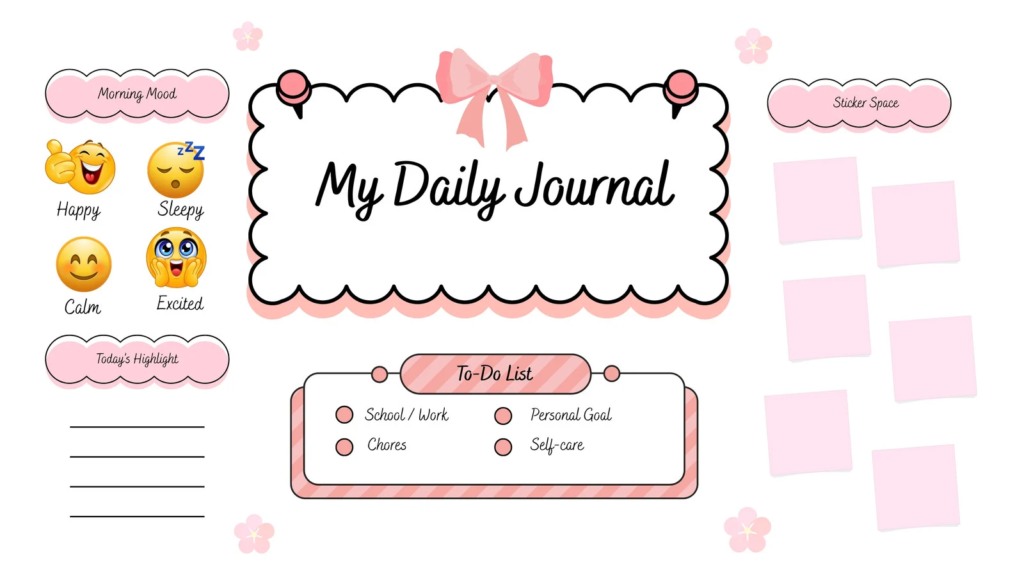
Simple, intuitive layout for personal tasks, self-care, and daily notes.
3. Daily Routine Builder & Tracker
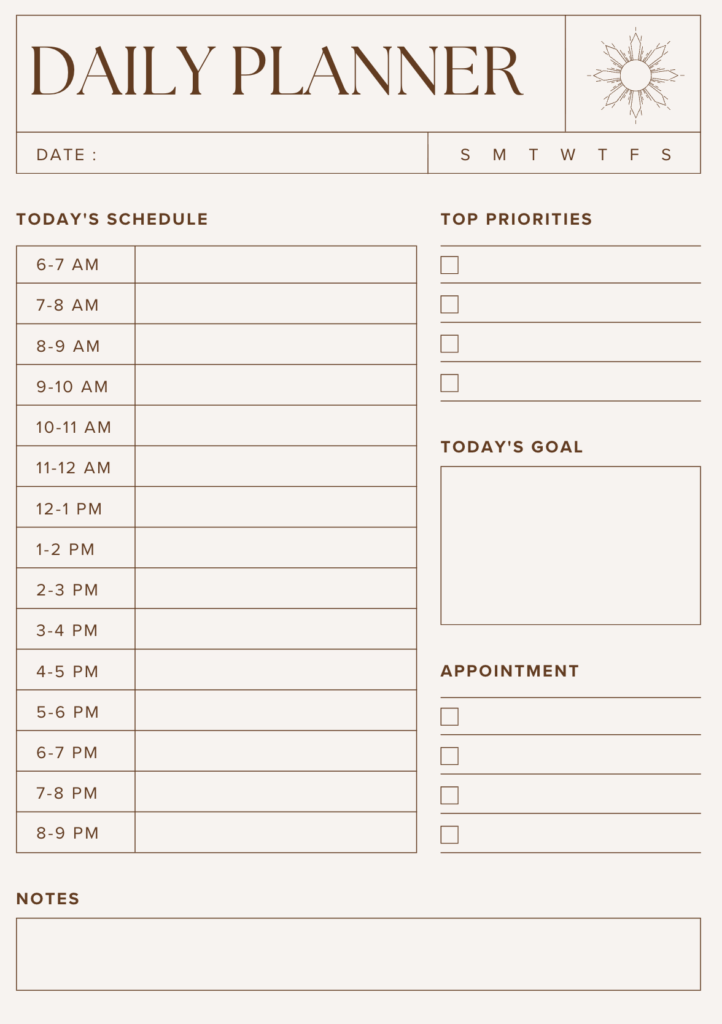
Interactive tracker that encourages repetition and routine consistency — similar to how Fhynix integrates habits directly into the calendar.
4. Life Perform – Habits and Routines

Best for users focused on personal growth and daily performance.
5. Notion Daily Routine & Events Tracker
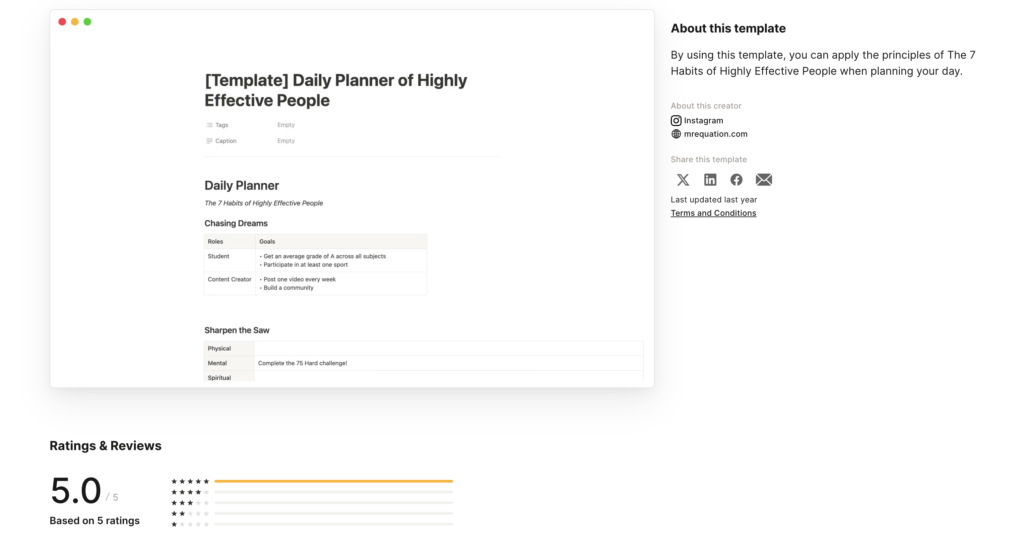
Flexible digital template within Notion, customizable for both tasks and wellness goals.
6. Canva Daily Schedule Template

Visually creative and printable — ideal for users who love design-forward planners.
7. OnPlanners Printable Routine Template
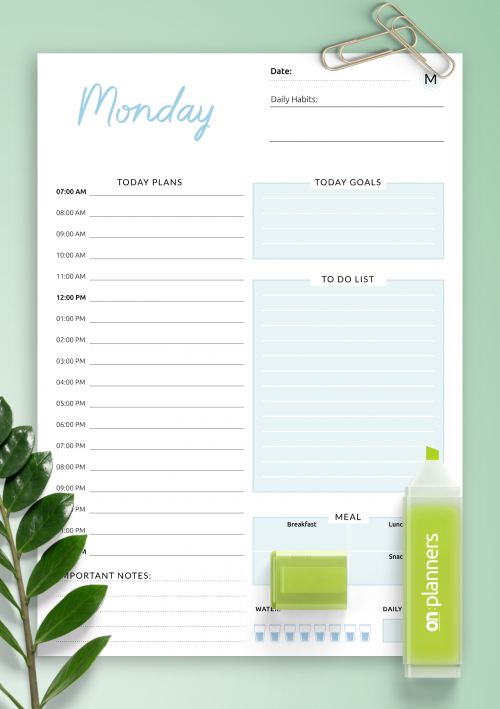
Great for journaling and reflection, with sections for gratitude and habit logs.
8. TimeCamp Free Daily Schedule Tracker

Digital template with integrated time-tracking analytics.
9. Template.net Daily Routine Sheets
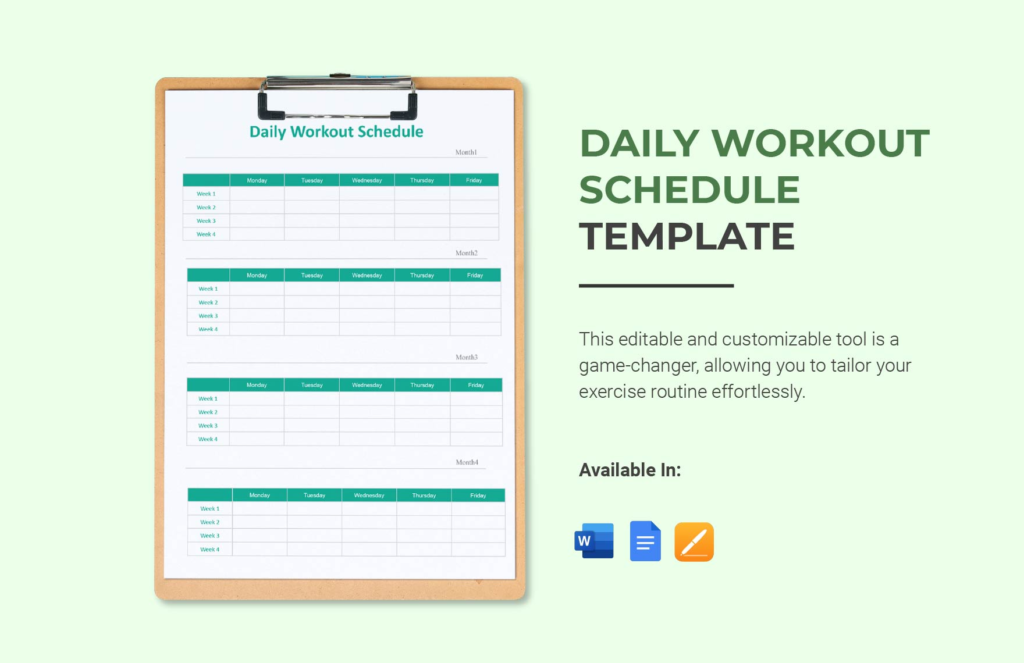
Professional and personal templates for quick customization.
10. Smartsheet Daily Planner Template
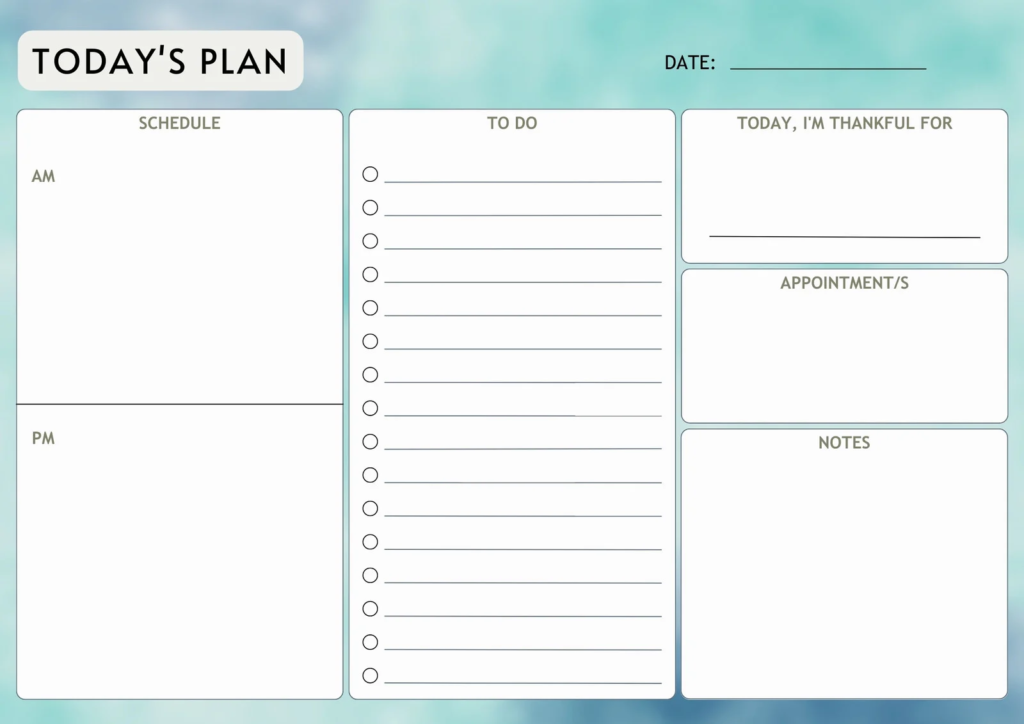
Structured spreadsheet-style planner for task management.
Why Fhynix Completes the List
While most templates focus on one aspect of daily organization — either structure or reminders — Fhynix combines both effortlessly. It functions as a dynamic daily routine template that adapts in real-time.
- You can see your day as a color-coded timeline, not a static list.
- Add habits and recurring routines directly into your schedule.
- Receive subtle, human-like WhatsApp reminders for upcoming events.
- Easily reschedule with drag-and-drop without losing your daily flow.
Whether you prefer planning your day hour-by-hour or visualizing your week as a whole, Fhynix adapts to your rhythm.
In 2026, productivity isn’t just about managing time — it’s about managing energy and attention.
Fhynix helps you align both by creating balance between focus, rest, and self-care within one intuitive template.
How to Create Your Own Daily Routine Template
Creating a daily routine template isn’t about designing a rigid schedule — it’s about building a framework that works with your natural rhythm. The right process turns planning into a habit rather than a chore.
Here’s a step-by-step guide to help you design a daily routine system that feels intuitive, adaptable, and sustainable — whether you use printable planners, spreadsheets, or digital tools like Fhynix.
Step 1: Choose Your Format
Decide whether you prefer writing by hand, working on a computer, or using a mobile app.
- If you love handwriting, printable templates or journals can make the process more mindful.
- If you want automation and reminders, digital planners are ideal.
Fhynix simplifies this choice by providing a built-in template that merges scheduling, tasks, and habits. Its timeline-based layout automatically adjusts as you add or move events — so your routine evolves naturally, without manual edits.
Step 2: Define Your Goals and Priorities
Start by identifying what matters most to you each day. Goals may include work tasks, fitness, personal development, or family time. A good routine template makes space for all of them — not just productivity.
Within Fhynix, you can color-code each goal category (for example: blue for work, green for wellness, yellow for personal time) so your priorities are instantly visible on the calendar. This visual clarity helps ADHD or busy-minded users see balance at a glance.
Step 3: Assign Time Blocks
Time-blocking turns abstract intentions into visible commitments. Assign dedicated slots for each activity and ensure you include buffer times between tasks.
Fhynix’s drag-and-drop scheduler makes this step effortless — you can move or resize time blocks as your day changes. Seeing your schedule laid out visually helps prevent overbooking and encourages realistic time estimation.
Step 4: Add Habits and Recurring Routines
To stay consistent, automate repeated actions. Habits like “morning walk,” “email check,” or “study hour” can be added once and set to recur daily or weekly in Fhynix.
This creates momentum — your template becomes self-sustaining, reminding you of small actions that lead to bigger progress. Each habit appears in your timeline like a regular event, making it part of your structured flow rather than an afterthought.
Step 5: Review and Adjust Regularly
No routine is perfect from day one. End each week by reviewing what worked and what didn’t. Were certain time blocks unrealistic? Did you forget to include breaks? Adjust accordingly.
With Fhynix, reviewing is simple — you can look back at your week visually and notice patterns, like where you tend to overload your schedule or skip personal time. Its minimalist layout helps you reflect without clutter, encouraging slow improvement instead of perfectionism.
Tools You Can Use:
- Google Sheets or Excel: Good for structured, editable tables.
- Notion: Ideal for flexible, all-in-one dashboards.
- Printable planners: Best for offline reflection or journaling.
- Fhynix: Combines real-time scheduling, color-coded visualization, and WhatsApp reminders — creating a fully functional daily routine template inside a single app.
Examples of Daily Routine Templates
To help you visualize how a structured day looks, here are four examples of daily routine templates you can customize based on your goals.
Morning Routine Example
Morning routines set the tone for the rest of your day. The key is to start slowly and build momentum through structure.
Example:
- 6:30 AM – Wake up, hydrate
- 7:00 AM – Exercise or short walk
- 7:30 AM – Breakfast & personal journaling
- 8:00 AM – Review goals and tasks in Fhynix
- 8:30 AM – Begin focused work or study session
With Fhynix, you can automate this by adding these activities as recurring habits that appear every morning. You’ll receive WhatsApp reminders for key events (like your first meeting or gym time), helping you maintain consistency without relying on memory.
Workday Routine Example
A structured workday routine enhances focus and productivity, especially for professionals managing multiple tasks.
Example:
- 9:00 AM – Team meeting or client call
- 10:00 AM – Deep work block (project or writing)
- 12:30 PM – Lunch and screen break
- 2:00 PM – Admin or email check
- 4:00 PM – Review progress, adjust next-day plan
- 5:00 PM – Wrap up and schedule reminders for tomorrow
Fhynix simplifies this structure by showing all these segments on your visual timeline. Each time block can be labeled and color-coded — work-related tasks in one color, personal reminders in another — to ensure balance and visibility.
Evening Routine Example
Evenings should be about winding down, not catching up. A good evening routine helps you disconnect and prepare for the next day.
Example:
- 6:30 PM – Light walk or stretch
- 7:00 PM – Dinner with family
- 8:00 PM – Reflect on the day using Fhynix’s notes section
- 9:00 PM – Screen-free time (reading or journaling)
- 10:00 PM – Sleep prep and lights out
In Fhynix, you can schedule this as a recurring daily routine labeled “Evening Reset.” Having this structure ensures relaxation becomes as much a priority as work.
Weekend Routine Example
Weekends are perfect for resetting, reflecting, and recharging. Your weekend routine should mix productivity with personal growth and rest.
Example:
- 8:00 AM – Late wake-up & breakfast
- 9:00 AM – Weekly review and goal setting in Fhynix
- 10:30 AM – Family time or creative activity
- 2:00 PM – Chores or errands
- 5:00 PM – Relaxation or outdoor leisure
- 8:00 PM – Plan upcoming week using Fhynix’s weekly view
Fhynix’s weekly layout makes this easy — you can zoom out to see your entire week and allocate downtime intentionally. By reviewing your week visually, you can track where your time went and how to balance work-life better.
Expert Tips for Making the Most of Your Daily Routine Template
Even the best template won’t work unless you make it part of your lifestyle. Here are some expert-backed strategies that align perfectly with Fhynix’s functionality:
Start Small and Build Consistency
Don’t fill your day with 20 new tasks. Begin with 3–4 key habits and let consistency grow naturally. In Fhynix, you can start by adding only essential tasks — like meetings, exercise, and reading — and gradually layer in more routines.
Review Weekly and Adjust for Balance
Your life changes, and your planner should too. Use Fhynix’s weekly view to reflect and re-prioritize. If you notice certain time blocks cause stress, simply drag and drop them elsewhere. This fluid adjustment keeps your plan aligned with reality.
Pair with Habit Tracker Apps (or Built-In Tools)
While some people use separate habit apps, Fhynix already integrates habit tracking within the same layout. Each habit is visually represented, turning motivation into visible progress. Seeing green streaks or consistent color-coded blocks over time reinforces momentum.
Avoid Overloading Your Schedule
Leave white space. Breaks are not wasted time — they’re essential for clarity. Fhynix’s timeline view makes it easy to see if your schedule is too dense, allowing you to visually balance rest and productivity.
Reward Progress, Not Perfection
Celebrate small wins — sticking to your morning routine, finishing early, or keeping up with habits for a week. Self-compassion builds long-term consistency.
Closing Thoughts
A daily routine template is more than a planner — it’s a lifestyle design tool. The best one isn’t filled with hundreds of tasks but with intentional structure that keeps you calm, productive, and present.
Paper-based templates provide tactile reflection, and spreadsheets give control, but digital planners like Fhynix bring everything together: structure, flexibility, and smart reminders.
Frequently Asked Questions About Daily Routine Templates
What should a daily routine template include?
A good daily routine template covers five core blocks: a morning routine (wake-up, exercise, breakfast, schedule review), a deep work block for your most demanding tasks, a midday reset with lunch and a short break, an afternoon block for admin and lighter tasks, and an evening wind-down with journaling and tomorrow’s planning. Each block should have a specific start time, a clear task or habit, and a reminder so you actually follow it. Color-coding by category (work, health, family, personal) helps you spot imbalance at a glance.
How do I make a daily routine and actually stick to it?
The most common reason daily routines fail is that reminders don’t reach you at the right moment. Push notifications are ignored or dismissed — they have a ~20% open rate. The most effective approach is to set reminders through a channel you actually check, like WhatsApp. Fhynix lets you add your routine template once and automatically sends WhatsApp reminders 10 minutes before each block, every day. Research from the British Journal of Health Psychology shows that people who are reminded of their intentions at the point of action are significantly more likely to follow through.
What is the best time to wake up for a productive day?
There is no single best wake-up time — it depends on your chronotype. Early risers (6–7am) benefit from quiet morning hours for deep work before the day’s demands begin. Night owls often do their best work later in the morning or afternoon. The most important factor is consistency: waking at the same time every day, including weekends, regulates your circadian rhythm and improves energy, focus, and sleep quality more than the specific hour.
How long should a morning routine be?
An effective morning routine takes 30–60 minutes. It should include three elements: something physical (even a 10-minute walk or stretch), something nutritional (breakfast and hydration), and a brief review of the day’s schedule. Longer morning routines (90+ minutes) often crowd out deep work time. The goal is to arrive at your first work block energised and clear on your priorities — not to complete an elaborate ritual.
What is the difference between a daily routine template and a daily schedule?
A daily routine template is a repeating framework — the same structure applied to each day with consistent time blocks. A daily schedule is specific to one day — it lists exactly what you’re doing on a particular date. The best approach combines both: use a routine template as the backbone (recurring habits, study blocks, meal times), then layer in your specific tasks and appointments on top each day. Apps like Fhynix display both together in one unified calendar timeline.
Should I use a paper or digital daily routine template?
Digital templates are more practical for most people in 2026 because they send reminders, sync across devices, and adjust automatically when your schedule changes. Paper templates require manual rewriting whenever something shifts. The advantage of paper is the act of handwriting, which some people find helps with memory and intention-setting. A practical approach: use a digital app (like Fhynix) for your schedule and reminders, and a paper journal for your evening reflection and tomorrow’s top 3 priorities.
How do I build a daily routine for students?
A student daily routine template should centre on two deep study blocks (morning and early afternoon) when focus is highest, with shorter review sessions in the evening. Include specific time slots for assignments, revision, exercise, and breaks — not just vague “study time.” Add WhatsApp reminders before each study block so you start on time. Fhynix lets students add class schedules, assignment deadlines, and daily habits in one place, with Google Calendar sync for university timetables and WhatsApp reminders for every deadline.
Can I import a daily routine template into an app?
Yes — Fhynix lets you add a daily routine template directly into its AI planner. You can type your routine in plain English (“study block every weekday at 9am for 2 hours”), and Fhynix’s AI schedules it and sets recurring WhatsApp reminders automatically. Your routine appears in the colour-coded calendar timeline alongside your other events, so you can see your whole day at a glance. The free 3-day trial includes full access to routine scheduling and WhatsApp reminders.