

AI-powered scheduling sounds incredible in theory. An app that automatically arranges your entire day, moving tasks around as priorities shift and meetings appear. No more manual planning, no more decision fatigue. Just open your calendar and see exactly what to work on next.
Motion promises this AI-driven utopia, using algorithms to optimize your schedule like a virtual assistant. Fhynix takes a different approach entirely, using AI to understand what you say rather than to control your schedule. One app wants to plan your day for you. The other wants to make planning so effortless you barely notice you’re doing it.
Both claim to use AI for better productivity, but they’re solving completely different problems. Let’s figure out which problem you actually have.
The Promise and Reality of AI Planning
AI scheduling apps like Motion analyze your tasks, deadlines, and calendar to automatically generate an optimized schedule. The algorithm decides when you should work on each project based on priority, duration estimates, and available time. In theory, you never touch your calendar. The AI handles everything.
This works beautifully in demos. You add tasks with deadlines, and Motion slots them into perfect time blocks. A new urgent meeting appears, and Motion instantly reshuffles everything to accommodate it. Your day always looks optimized, at least on screen.
Reality introduces complications. Meetings run over. Your energy crashes at 2pm. That “two-hour task” actually takes four. The project you thought was low priority suddenly becomes urgent. AI can optimize a theoretical schedule, but it can’t predict how you’ll actually feel or what will actually happen.
This is where Motion and Fhynix diverge. Motion doubles down on algorithmic control, assuming better algorithms solve the problem. Fhynix recognizes that the real friction isn’t in optimizing schedules but in capturing and organizing commitments in the first place.
Motion: Algorithmic Control of Your Day
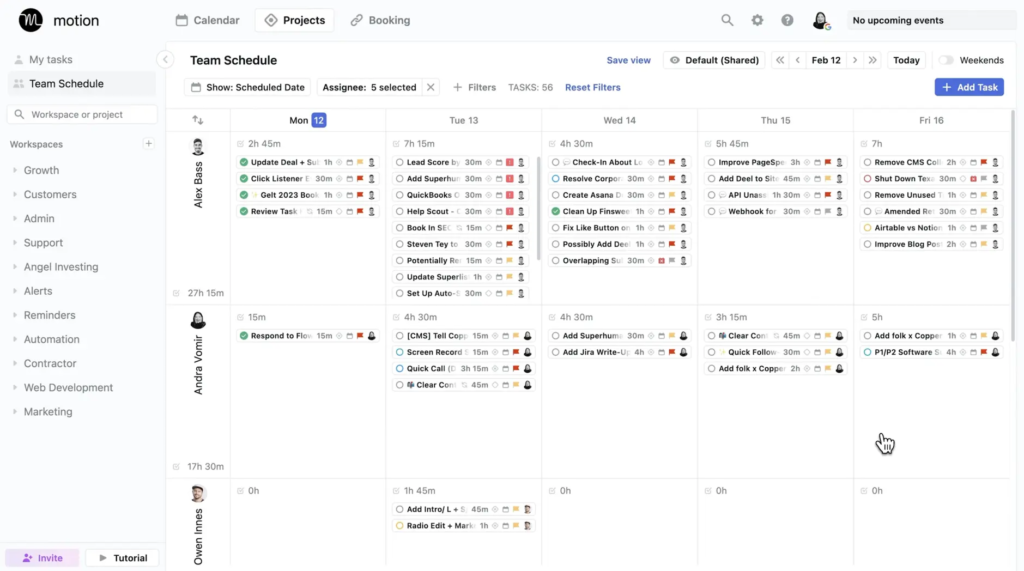
Motion positions itself as an AI executive assistant that manages your calendar automatically. You input tasks with deadlines and time estimates, and Motion’s algorithm schedules them. Need to add a meeting? Motion reschedules everything affected. Task taking longer than expected? Motion pushes other things back.
The interface looks professional and clean. Your calendar shows color-coded blocks for different projects. Motion claims its algorithm considers factors like task dependencies, deadline urgency, and your working hours to create the optimal schedule. For teams, it can coordinate across multiple people’s calendars.
This appeals to professionals who want to outsource scheduling decisions. Instead of thinking about when to work on each project, you trust the algorithm. Motion tells you to work on Project A from 9-11am, Project B from 11am-1pm, and so on. You just follow the schedule.
However, this automated approach creates new problems. You need to provide accurate time estimates for everything, which most people struggle with. The algorithm makes assumptions about your priorities that might not match reality. And when life inevitably deviates from the plan, you’re stuck either manually overriding the AI or letting it reschedule everything constantly.
Motion also comes with enterprise pricing, typically $19-34 per month. You’re paying for sophisticated algorithms and team coordination features that might be overkill if you just need to manage your own schedule effectively.
Fhynix: AI That Understands Instead of Controls
Fhynix uses AI completely differently. Instead of algorithms scheduling your day, the AI understands natural language so you can capture commitments instantly. Say “Team meeting tomorrow 2pm” or “Finish report by Friday” and Fhynix interprets what you mean, creating calendar events automatically.
This matters because the real productivity bottleneck isn’t optimization. It’s the friction between thinking “I need to do something” and actually getting it on your calendar. Most tasks never make it to your schedule because writing them down feels like work. Voice input removes this barrier completely.
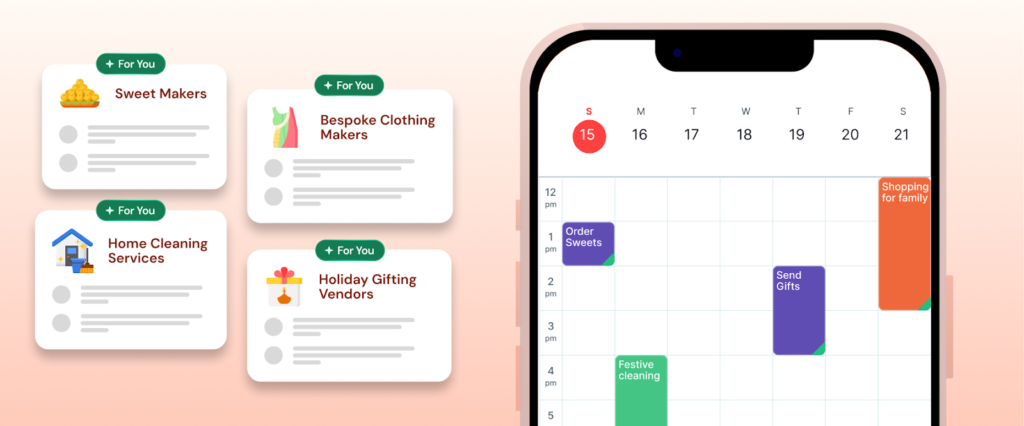
Your tasks appear directly on your calendar timeline alongside meetings and events. There’s no separate task list to maintain or algorithm deciding when you should work on things. You see your entire day in one unified view and make your own decisions about priorities based on how you actually feel and what’s actually happening.
Fhynix sends reminders through WhatsApp instead of relying on app notifications you’ll probably ignore. You get alerts roughly 24 hours before something is due, plus a 10-minute heads-up. For people managing multiple responsibilities, this direct messaging approach ensures reminders actually reach you.
The app syncs with Google, Microsoft, and Apple calendars, so nothing lives in isolation. Students use it to track assignments alongside class schedules. Families coordinate everyone’s activities in one place. Remote workers blend personal and professional commitments naturally. When you need flexible calendar solutions, Fhynix provides visibility without algorithmic interference.
Feature Comparison: Control vs Flexibility
| Feature | Motion | Fhynix |
|---|---|---|
| AI Approach | Automatic scheduling algorithm | Natural language understanding |
| Task Input | Manual entry with time estimates | Text, voice, conversational AI |
| Schedule Control | AI decides when to work on tasks | You decide, AI helps capture |
| Calendar Integration | Google Calendar, Outlook | Google, Microsoft, Apple |
| Reminders | In-app notifications | WhatsApp + in-app |
| Team Features | Advanced coordination and sharing | Family/group calendar viewing |
| Mobile Experience | Full-featured app | Mobile-first design |
| Time Estimation | Required for all tasks | Optional, flexible |
| Rescheduling | Automatic when conflicts arise | Manual, you stay in control |
| Price | $19-34/month | Free with premium options |
| Best For | Teams needing coordination | Individuals and families |
When Motion’s Automation Makes Sense
Motion works if you’re managing complex projects with interdependent tasks and hard deadlines. The automatic rescheduling helps when you’re constantly getting pulled into meetings and need your work tasks to adapt. For teams coordinating across multiple calendars, Motion’s ability to find time that works for everyone provides genuine value.
The algorithmic approach suits people who genuinely struggle with prioritization decisions. If you find yourself paralyzed by too many options, having an AI tell you “work on this task now” removes decision fatigue. You trust the system and execute.
Motion also makes sense if you’re billing clients for time and need detailed tracking of how long projects actually take. The required time estimates force you to think about task duration, and the system tracks whether your estimates match reality.
However, this automation requires significant upfront investment. You need to input all your tasks with accurate information. You need to trust the algorithm’s decisions even when they don’t feel right intuitively. And you need to maintain discipline around updating the system as circumstances change.
When Fhynix’s Simplicity Works Better
Fhynix excels when you need to manage life, not just professional projects. Your day includes work deadlines, doctor appointments, kids’ activities, exercise goals, and household tasks. An algorithm can’t meaningfully optimize this mix because the priorities depend on context the AI doesn’t have.
Voice input becomes essential when you’re capturing commitments on the go. You’re driving and remember your daughter’s school project is due next week. You’re cooking dinner and realize you need to prep for tomorrow’s presentation. Fhynix lets you capture these thoughts immediately without stopping what you’re doing.
The calendar-first timeline shows reality without abstraction. You don’t need to translate between a task list and a calendar. Everything exists on one schedule the way your actual day unfolds. This unified view helps with effective time management because you see exactly where commitments fit.
WhatsApp reminders solve the notification problem that plagues productivity apps. When you’re juggling work and personal life, you can’t afford to miss important deadlines because you didn’t check an app. Having reminders arrive through messaging you already use means they actually reach you.
Students managing academic schedules find Fhynix straightforward because they can add assignments without estimating how long each will take. Parents coordinating family activities appreciate seeing everyone’s schedule together without complex team features they don’t need. Remote workers value that personal errands and professional tasks coexist naturally.
The app’s approach to daily routines recognizes that life doesn’t optimize neatly. Instead of perfect theoretical schedules, Fhynix helps you maintain visibility into commitments while staying flexible when things inevitably change. Habits and recurring tasks appear directly on your timeline, making habit tracking visible rather than abstract.
The Fundamental Difference: Trust vs Control
⚙️ Motion’s Philosophy
AI should manage your schedule because algorithms optimize better than humans. Give the system enough information, trust its decisions, and you’ll work more efficiently. It’s productivity through delegation to artificial intelligence.
🧭 Fhynix’s Philosophy
You should control your own schedule because only you understand your actual priorities, energy levels, and circumstances. AI should reduce friction in capturing and organizing commitments, not make scheduling decisions for you. It’s productivity through removing barriers.
Making Your Decision
For most people balancing work and life, Fhynix’s straightforward approach to work-life integration proves more sustainable. Your schedule includes too many variables for algorithmic optimization to handle meaningfully. You need visibility and quick capture more than perfect time blocks.