Choosing the right daily planner can transform how you manage your time, but with so many productivity apps available, finding the perfect fit isn’t always straightforward. Two popular options that often come up in searches are Routine and Fhynix, each with distinct philosophies about how your day should be organized.
If you’ve been searching for a planning app that truly integrates your tasks into your daily schedule rather than keeping them on a separate checklist, understanding the differences between these two approaches can help you make the right choice.
Understanding Routine: The Task-Centric Planner

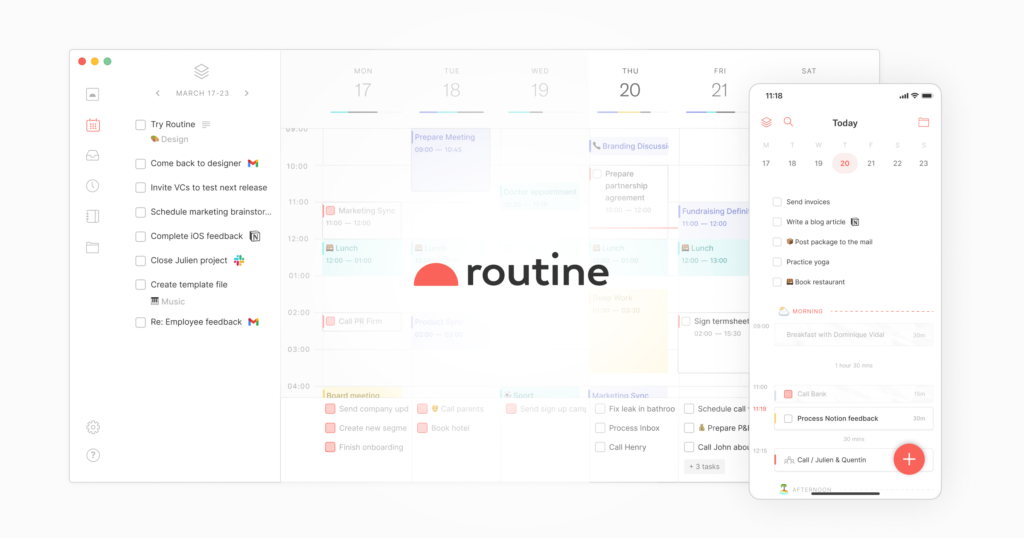
Routine positions itself as a comprehensive productivity tool designed primarily for professionals and teams. The app focuses on consolidating tasks, notes, and calendar events into a single workspace. Its interface emphasizes keyboard shortcuts and quick capture, making it popular among power users who prefer desktop-first workflows.
The app organizes work around tasks and notes, with calendar integration serving as a complementary feature. Users appreciate Routine’s clean interface and the ability to quickly jot down thoughts, create to-dos, and schedule them for later review.
What Makes Fhynix Different: Calendar-First Planning

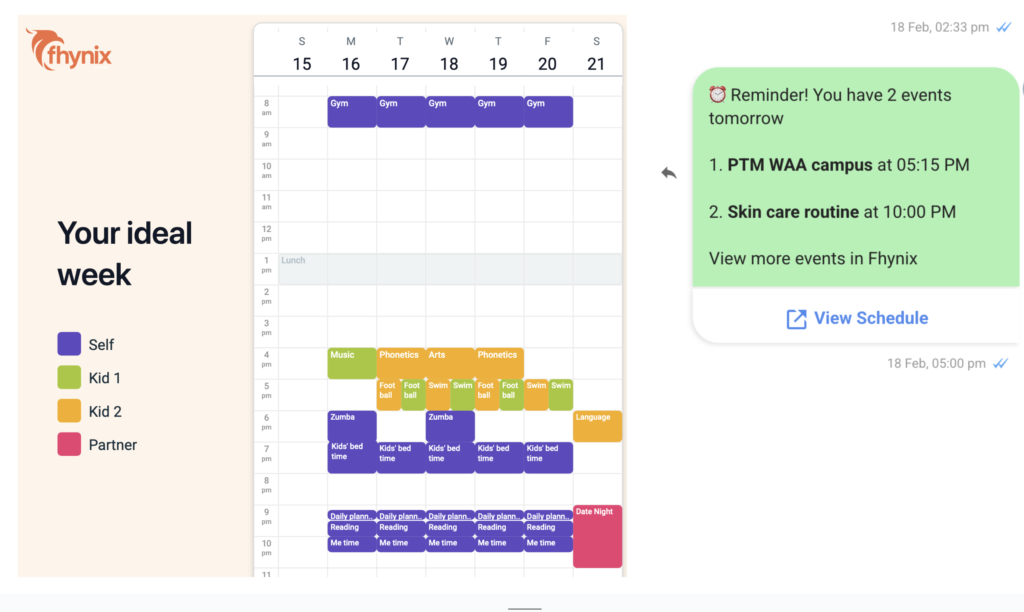
Fhynix takes a fundamentally different approach by putting your calendar at the center of everything. Rather than maintaining separate to-do lists that you check independently, Fhynix brings your tasks directly into your calendar timeline. This means when you add a task, it appears as part of your daily schedule alongside your meetings, appointments, and events.
The philosophy behind this design is simple: your day unfolds in time, not in lists. When you look at your calendar, you see the complete picture of your day, including both your scheduled events and the tasks you need to accomplish. This calendar-first approach to productivity helps you plan more realistically by seeing exactly when you’ll have time for each task.
Feature Comparison: Routine vs Fhynix
| Feature | Routine | Fhynix |
| Primary Focus | Task management with calendar support | Calendar-first with integrated tasks |
| Task Input | Text-based with keyboard shortcuts | Text, voice notes, and AI interpretation |
| Mobile Experience | Secondary to desktop | Fully mobile-optimized with iOS & Android |
| WhatsApp Integration | Not available | Reminders sent via WhatsApp for calendar events |
| External Calendar Sync | Yes | Yes (Google, Microsoft, Apple) |
| Voice Input | Limited | Full voice note support with AI processing |
| Habit Tracking | Available through tasks | Built-in habits and routines tracking |
| Platform Availability | Desktop-first (Mac, Windows) | Mobile-first with Apple Watch support |
| Color Coding | Basic | Color-coded categories for work, personal, fitness, family |
| Smart Scheduling | Manual scheduling | AI-powered suggestions and bulk entry |
The Calendar-First Philosophy
One of the most significant differences between these apps lies in their core philosophy. Fhynix operates on the principle that to-dos are now part of your calendar timeline, creating one unified planner for all your daily routines and events. This approach means you’re not constantly switching between a task list view and a calendar view to figure out when you’ll actually complete your tasks.
When you tell Fhynix “Pay bills tomorrow at 4 pm” through text or voice, the app uses AI to understand your request and places it directly on your calendar at the specified time. This natural language processing makes task entry feel conversational rather than mechanical.
WhatsApp Reminders: Staying Connected to Your Schedule

One standout feature that users consistently praise about Fhynix is its WhatsApp reminder integration. The app sends reminders for your calendar events via WhatsApp, typically 24 hours in advance plus a 10-minute warning, ensuring you don’t miss important commitments even if you’re not actively checking the app.
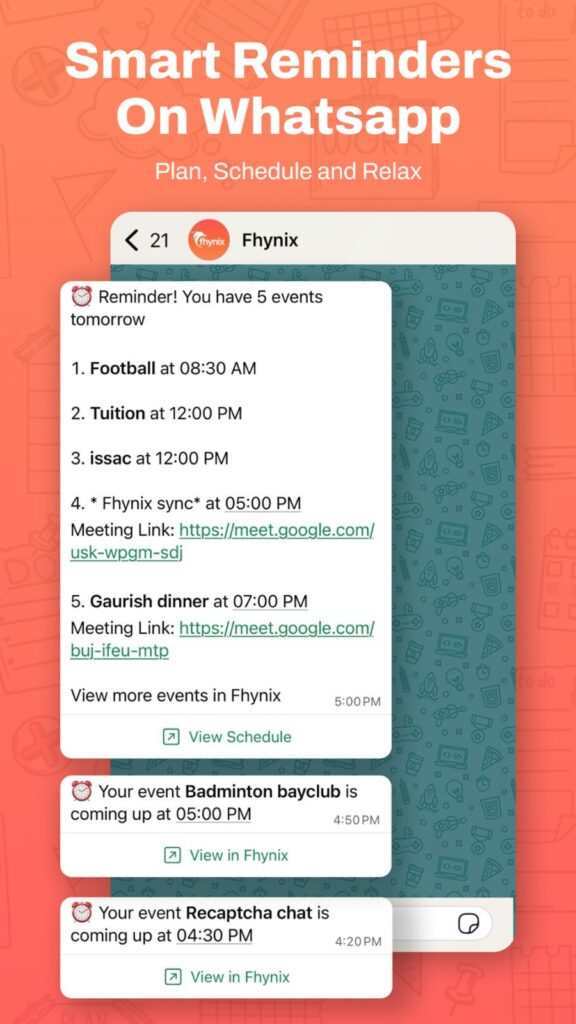
This feature has resonated particularly well with users who appreciate getting reminders where they already spend time communicating. As one user noted, the WhatsApp reminders are “super unique and actually keep me on track,” making it easier to stay accountable to your schedule throughout the day.
Managing Multiple Aspects of Life
Both apps handle calendar integration, but they approach unified planning differently. Fhynix is specifically designed to consolidate work, personal, fitness, and family schedules into one color-coded view. This makes it particularly useful for people juggling multiple roles, parents coordinating family activities, students balancing classes and assignments, or professionals managing both career and personal commitments.
The app’s ability to sync with external calendars from Google, Microsoft, and Apple means you can see everything in one place, making it function as one of the best shared calendar apps for families and teams.
Voice and AI Capabilities
While Routine focuses on keyboard efficiency, Fhynix emphasizes flexibility in how you add tasks and events. You can type, speak, or even upload images of schedules (like school calendars or holiday schedules), and the AI will convert them into calendar entries.
This AI-powered approach extends to smart scheduling features, where the app can help you organize your day more intelligently. According to how to effectively plan your day, having an app that understands natural language makes planning feel less like data entry and more like having a conversation with a personal assistant.
Habits and Routine Building

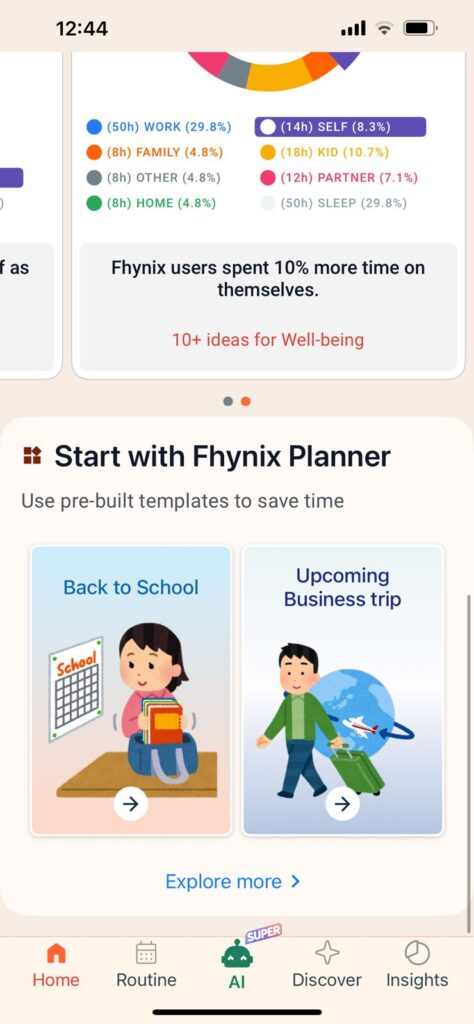
If you’re looking to build better habits, Fhynix offers dedicated features for tracking recurring tasks and daily routines. The app provides productivity insights and trends, helping you understand your patterns over time. This makes it more than just a scheduling tool, it becomes a companion for personal development and habit formation.
For those specifically looking for the best to-do app that integrates tasks with calendar, this unified approach to habits and scheduling can be particularly valuable.
Platform and Device Support
Routine is primarily designed for desktop use, with mobile apps serving as companions to the main experience. Fhynix takes the opposite approach, optimizing for mobile-first usage while offering full functionality across iOS and Android. The app also supports Apple Watch, allowing you to check your schedule and receive notifications directly from your wrist.
This mobile-centric design reflects the reality that most people need to access their schedules on the go, checking their plans while commuting, running errands, or between meetings.
Who Should Choose Routine?
Routine may be the better choice if you:
- Primarily work from a desktop computer
- Prefer keyboard shortcuts and quick commands
- Want a task-centric workflow with calendar as a secondary feature
- Value extensive note-taking capabilities integrated with tasks
- Work in professional settings where desktop productivity is prioritized
Who Should Choose Fhynix?
Fhynix is particularly well-suited for people who:
- Want to see tasks as part of their daily timeline, not separate lists
- Prefer mobile-first planning with on-the-go access
- Value voice input and AI-powered task entry
- Need WhatsApp reminder integration
- Manage multiple life areas (work, family, personal, fitness) in one place
- Want to build habits and track routines alongside scheduling
- Appreciate color-coded organization for different life categories
If you’re considering calendar-first alternatives to other routine apps, Fhynix’s approach might resonate with how you naturally think about your day.
The Bottom Line: Different Philosophies for Different Needs
The choice between Routine and Fhynix ultimately comes down to how you think about productivity. Routine excels for desktop-focused professionals who want powerful task management with calendar support. Fhynix shines for anyone who believes that tasks belong in your calendar, not on a separate list.
The calendar-first approach means you’re always looking at your day holistically, seeing not just what you need to do, but when you’ll realistically have time to do it. This can lead to more realistic planning and less overwhelm from endless task lists that don’t account for the actual hours available in your day.
For families, students, and busy professionals who need one unified planner for all their daily routines and events, Fhynix’s mobile-first design and WhatsApp integration provide a more accessible and engaging planning experience.
Frequently Asked Questions
Can I use both Routine and Fhynix together?
While technically possible, it would defeat the purpose of having a unified planner. Both apps are designed to be your central planning hub, so using both could create duplicate entries and confusion. Choose the one that best matches your workflow philosophy.
Does Fhynix work offline?
Yes, Fhynix supports offline functionality on Android, allowing you to add tasks and events even without an internet connection. Changes sync when you’re back online.
Can I migrate my tasks from Routine to Fhynix?
You can export your calendar events and manually import them into Fhynix through standard calendar file formats. For tasks, you may need to recreate them, but Fhynix’s voice and AI features make bulk entry faster than traditional manual input.
Which app is better for families?
Fhynix’s color-coded categories, shared calendar integration, and WhatsApp reminders make it particularly family-friendly. Many users report using it successfully to coordinate family schedules and ensure everyone stays informed about upcoming events.
Does Fhynix have a desktop version?
Currently, Fhynix is optimized for mobile devices (iOS and Android) with Apple Watch support. While you can access your synced calendars on desktop through external calendar apps, the native Fhynix experience is mobile-first.
Is the AI scheduling feature reliable?
The AI features in Fhynix continue to evolve. Users report that natural language processing works well for standard task entry, and the smart scheduling capabilities improve with proper task naming. The AI is particularly effective at converting voice notes and images into calendar entries.