
When drowning in tasks and commitments, the right productivity tool feels like a lifeline. Both TickTick and Fhynix promise to organize chaos into clarity, but they take fundamentally different approaches. One focuses on task management with calendar features; the other puts your calendar at the center.
Understanding these differences matters because the wrong choice means continuing the fragmentation that’s overwhelming you.
Understanding the Core Philosophy Difference
The biggest distinction between TickTick and Fhynix isn’t features, it’s philosophy.
TickTick: Task-Centric
Operates as a task management app that happens to include calendar views. You create tasks, organize them into lists, add tags and priorities, then view them on a calendar if you choose. The focus is on capturing and categorizing tasks, with scheduling as a secondary consideration.
Fhynix: Calendar-First
Works the opposite way: it’s a calendar-first system where everything—tasks, events, commitments, personal time—lives on a unified timeline from the start. Instead of maintaining separate task lists, you schedule when you’ll actually do things. This transforms vague intentions into concrete time commitments.
This philosophical difference ripples through every aspect of how these tools work and who they serve best.
What TickTick Does Well
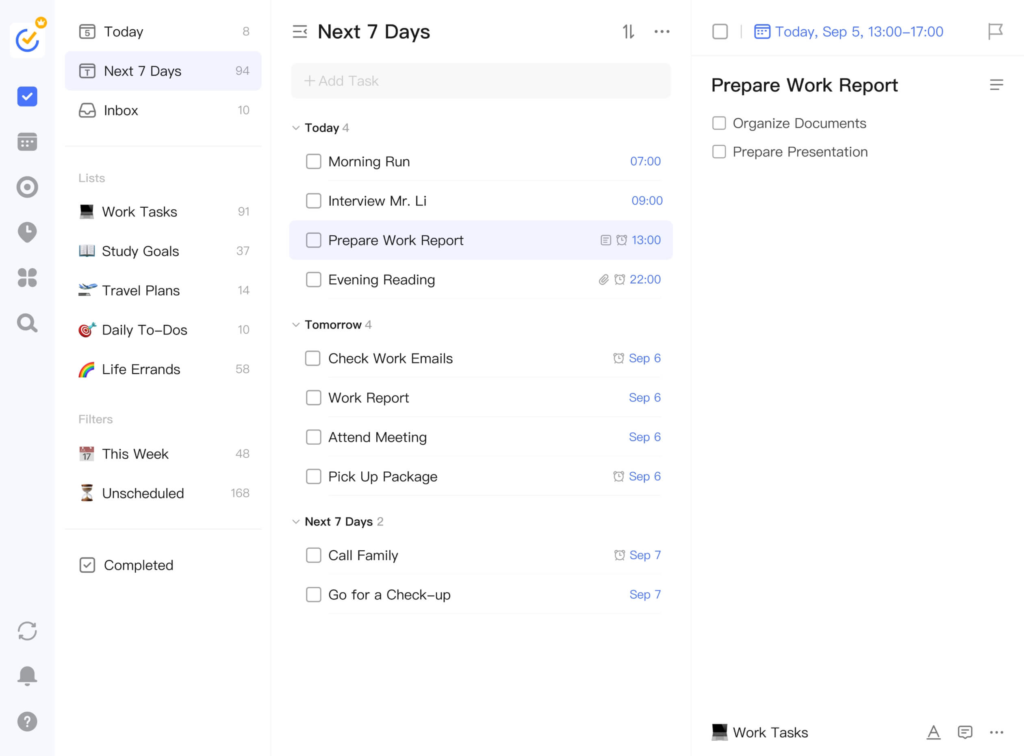
TickTick has earned its reputation as a powerful task manager:
- Comprehensive Task Features: Robust organization with multiple lists, subtasks, priorities, tags, and filters.
- Flexible Recurring Tasks: Daily, weekly, monthly, or custom patterns.
- Eisenhower Matrix: Built-in urgency/importance matrix helps prioritize what matters most.
- Pomodoro Timer & Habit Tracking: Integrated focus timer and 60+ habit templates.
- Cross-Platform & Collaboration: Works across all devices with task list sharing.
Where TickTick’s Approach Falls Short
Despite its strengths, TickTick’s task-centric design creates problems:
- Fragmented View: Tasks in one system, calendar events elsewhere. Constantly switching contexts.
- No True Unified Timeline: Calendar view shows task deadlines, not when you’ll actually work on them.
- Task List Overwhelm: Lists accumulate faster than you can complete them without time blocking.
- Limited Family Visibility: No seamless way for family to see your complete schedule.
- Reminder Limitations: In-app or email notifications, channels you might not check frequently.
The Fhynix Calendar-First Advantage
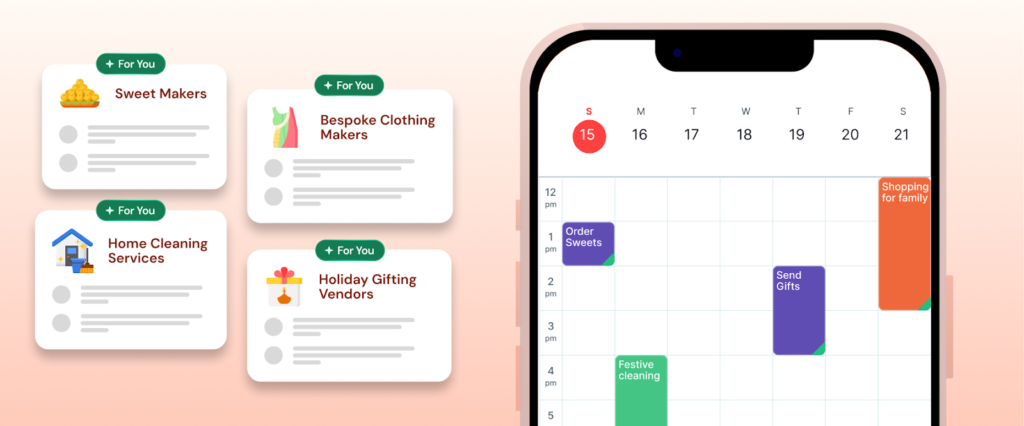
Fhynix puts your calendar at the center:
- Unified Timeline: Everything on one calendar—meetings, workouts, study sessions, family time. Complete visibility prevents double-booking.
- Forced Time Blocking: Schedule when you’ll actually do tasks, not just list them.
- WhatsApp Reminders for Calendar Events: Notifications through an app you check constantly.
- External Calendar Integration: Syncs Google, Apple, Microsoft calendars for unified visibility.
- Family Coordination: Share calendars so family sees when you’re busy.
- Color-Coded Balance: Different colors for life areas show if your week is balanced or overcommitted.
- Voice & Text Input: “Team meeting Thursday 3 PM” creates properly scheduled entries.
For exploring similar tools, see our guide on Skylight Calendar alternatives for more unified planning approaches.
Feature Comparison Table
| Feature | TickTick | Fhynix |
|---|---|---|
| Primary Focus | Task management with calendar views | Unified calendar with everything scheduled |
| Cost | Free or $35.99/year premium | Free |
| Calendar Integration | Google Calendar sync available | Google, Apple, Microsoft—unified view |
| Reminder Channels | In-app, email | WhatsApp for calendar events |
| Family Sharing | Task list sharing only | Complete calendar sharing |
| Time Blocking | Optional task scheduling | Built-in mandatory approach |
| Visual Balance | Task-focused statistics | Color-coded calendar balance view |
| Work-Life Integration | Separate task lists for areas | Unified timeline across all areas |
| Learning Curve | Medium – many features | Low – intuitive calendar interface |
| Best For | Task-oriented individuals, detailed project planning | Anyone managing multiple life areas, families, students |
Who Should Choose Each Tool
✅ Choose TickTick if you:
- Think in terms of tasks, not time blocks
- Need detailed task hierarchies for complex projects
- Work primarily solo without family coordination needs
- Want built-in Pomodoro timers and habit tracking
- Prefer detailed productivity analytics
✅ Choose Fhynix if you:
- Manage multiple life areas simultaneously
- Need family or team schedule coordination
- Struggle with task list overwhelm
- Want unified visibility of your complete week
- Value WhatsApp reminders you’ll actually see
The Real-World Difference
Consider a college student with classes, assignments, a job, clubs, and family:
With TickTick: Task lists for each class, assignments with due dates, priority tags, recurring tasks. Calendar shows deadlines but not when you’ll work on them. Family can’t see your schedule. You miss notifications.
With Fhynix: Monday shows: 9 AM Chemistry, 11 AM study group, 1 PM work shift, 3 PM gym, 6 PM family dinner (they see this), 8 PM Chemistry work session. WhatsApp reminds before each transition. Family sees you’re busy until 9:30 PM. Week color-coded showing balance.
TickTick tracks what needs doing; Fhynix shows when you’ll actually do it while coordinating with everyone. For students, our guide on time management apps for students explores different planning philosophies.
Making the Choice
Both tools are well-designed but solve different problems.
Choose TickTick for powerful task management with optional calendar views. If your work involves complex project management, detailed task hierarchies, and you work mostly independently, TickTick’s comprehensive features justify the learning curve and cost.
Choose Fhynix for unified life management where everything appears on one timeline. If you’re juggling multiple life areas, need family coordination, struggle with task overwhelm, or want reminders through channels you check, Fhynix’s calendar-first approach solves fragmentation.
For comprehensive strategies, see time management tools and techniques to evaluate which approach matches your needs.
Frequently Asked Questions
The choice isn’t about features, it’s about philosophy. Task-centric with optional calendar views, or calendar-first with everything scheduled? Your answer tells you which tool will reduce overwhelm rather than adding to it.