

In today’s fast-paced world, effectively managing time isn’t just a nice-to-have—it’s essential. With constant distractions, growing workloads, and personal responsibilities competing for attention, the right time management tools can be game changers. By the way, you can download the Fhynix app here ios or android
Why Time Management Tools Matter
Using time management tools can help you:
Structure your Day with clarity
→ Instead of guessing what to do next, you move through your day with a clear roadmap.
💡 Example: A student blocks out 2 hours for exam prep in Google Calendar, so they know exactly when to study without cramming last minute.Prioritize effectively to reduce stress
→ Knowing what truly matters helps you let go of the noise and focus on impact.
💡 Example: A working parent uses the Eisenhower Matrix in Priority Matrix to decide between attending a PTA meeting vs. responding to a low-priority email.Eliminate wasted minutes spent rebooting your focus
→ Tools keep you on track so you don’t lose momentum after interruptions.
💡 Example: A freelancer uses Toggl Track with Pomodoro timers to pick up right where they left off after a client call.Consistently perform at your best
→ When routines are automated, your energy goes to doing the work—not planning it.
💡 Example: An entrepreneur uses Fhynix to add tasks via WhatsApp voice note, freeing them from juggling sticky notes and memory.
As Harvard Summer School advises, “Create a calendar with all deadlines, exams, and events in advance” to avoid surprises and plan realistically
🔑 Five Powerful Time Management Techniques (with Tools to Try)

Pomodoro Technique – Focused bursts for lasting energy
The Pomodoro Technique , developed by Francesco Cirillo, is built on the idea that our brains perform best in short, focused sprints. You work in 25-minute sessions (called “Pomodoros”) followed by 5-minute breaks. After four rounds, you take a longer 15–30-minute break. This structure not only fights mental fatigue but also makes intimidating tasks feel manageable.
💡 Example: A college student writing a research paper uses Pomodoro sessions to draft one section at a time, staying productive without burning out.
👉 Tool to Try: Toggl Track
Toggl allows you to set timers, measure productivity, and review how much time you’ve spent on each task. Pair it with Pomodoro sessions to sharpen focus.
Time Blocking – Designate your day intentionally
Time Blocking is the practice of dividing your day into dedicated “blocks” of time assigned to specific tasks or categories of work. Instead of reacting to emails and distractions, you proactively design your day around priorities. By reserving time for deep work, meetings, and even personal breaks, you gain control over your schedule.
💡 Example: A project manager sets aside 9–11 AM for deep work (strategic planning), 1–3 PM for meetings, and 4–5 PM for email catch-up. The result? Less context-switching, more focus.
👉 Tool to Try: Motion
Motion automatically arranges your tasks into available time slots, updating in real time if meetings shift or new tasks arrive. It’s time blocking with AI.
Eisenhower Matrix – Prioritize with purpose
Named after U.S. President Dwight D. Eisenhower, Eisenhower Matrix technique helps you categorize tasks based on urgency and importance:
Urgent + Important → Do it now
Important but Not Urgent → Schedule it
Urgent but Not Important → Delegate it
Neither → Delete it
This framework forces you to stop treating every task as equal and empowers you to focus on what truly drives results.
💡 Example: A working parent uses the Eisenhower Matrix to decide whether to prepare for tomorrow’s client presentation (important + urgent) instead of spending time sorting files (not important).
👉 Tool to Try: Priority Matrix
This app is literally built on the Eisenhower Matrix—giving you a clear quadrant view of tasks so you can decide what to do, delegate, or drop.
Timeboxing – Set limits to beat perfectionism
Unlike time blocking, which reserves general slots, Time boxing assigns a fixed maximum duration for completing a specific task. The constraint prevents overthinking and procrastination by giving you a finish line. This is especially useful for people who tend to spend “too long” perfecting small details.
💡 Example: A software engineer timeboxes 45 minutes to write unit tests. Once the box ends, they move on, ensuring steady progress rather than endless tweaking.
👉 Tool to Try: Google Calendar
Beyond events, you can set dedicated blocks with start and end times for tasks. Treat them as immovable appointments to enforce timeboxing.
Daily To-Do + Reflection Checklist – Build habits with feedback
The simplest yet most powerful method: write down 3–5 key tasks for the day and complete them in order of priority. At the end of the day, reflect on what worked, what didn’t, and adjust tomorrow’s plan accordingly. Over time, this ritual builds self-awareness and better work habits.
💡 Example: A homemaker lists “grocery shopping, kids’ school project, and laundry” as the day’s top three. At night, she reviews progress and sets up tomorrow’s key list—creating rhythm and reducing decision fatigue.
👉 Tool to Try: Fhynix
Unlike manual lists, Fhynix lets you add tasks via WhatsApp text, voice, or image—then sends reminders exactly when you need them. It’s like carrying your checklist everywhere, without the clutter. AI calendars are a game changer.
⚡ Pro Tip: You don’t have to choose just one. Many high performers use multiple techniques with different tools—like pairing Motion’s AI-driven time blocking with Pomodoro timers in Toggl, while managing tasks and reminders in Fhynix.
🛠️ Time Management Tools with Pros & Cons
Toggl Track
A popular tool for freelancers, students, and teams to track time and boost focus. Works great with the Pomodoro technique.
✅ Pros:
Simple, clean interface for tracking tasks
Pomodoro timer integration
Detailed reporting for productivity insights
Works across desktop, mobile, and browser
❌ Cons:
Limited features in free plan
Can feel overwhelming for casual users who don’t need detailed time logs
💡 Best for: Students or freelancers who need visibility into where their time is going.
Motion
An AI-powered scheduling tool that automatically organizes your day by rearranging tasks, meetings, and priorities in real time.
✅ Pros:
Smart AI re-prioritizes tasks if your schedule shifts
Excellent for time blocking and planning projects
Integrates with Google Calendar & Outlook
Great for professionals who juggle multiple roles
❌ Cons:
Paid plans only—no robust free version
Can feel “too automated” if you prefer manual control
💡 Best for: Busy professionals or managers who need AI assistance to optimize their calendar.
Priority Matrix
A tool built around the Eisenhower Matrix, designed for prioritizing tasks based on urgency and importance.
✅ Pros:
Visual quadrant system makes prioritization simple
Great for decision-making under pressure
Useful for both work and personal life
Supports collaboration across teams
❌ Cons:
Learning curve if you’ve never used the Eisenhower Matrix
Interface can feel cluttered compared to simpler tools
💡 Best for: Professionals who need to cut through noise and decide what really matters each day.
Google Calendar
A classic digital calendar that helps with scheduling, reminders, and timeboxing.
✅ Pros:
Free and widely used
Integrates seamlessly with Gmail and other Google tools
Simple interface for events, tasks, and timeboxing
Works across devices
❌ Cons:
Lacks advanced productivity features (like habit tracking or automation)
Not designed specifically for family or task management—more general purpose
💡 Best for: Anyone looking for a free, reliable calendar with wide accessibility.
Fhynix
A next-gen AI-powered productivity app designed for modern families and professionals. It combines calendar, reminders, and routines—accessible directly through WhatsApp.
✅ Pros:
Add events via voice, text, or image on WhatsApp
Smart AI organizes schedules with minimal effort
Integrates multiple calendars (work, personal, school) into one view
Sends timely WhatsApp reminders so you never forget
Built for real-life routines (work, kids, health, chores)
❌ Cons:
Still expanding features compared to long-standing apps
New users may need time to explore full capabilities
💡 Best for: Busy parents, working professionals, or anyone who wants AI + WhatsApp reminders to simplify life.
Five Time Mastery Books Worth Reading
If you want to take your understanding of time management beyond apps and techniques, these books provide frameworks, philosophies, and practical tools that stand the test of time.
1. Tools of Titans by Tim Ferriss
Ferriss distills wisdom from more than 100 world-class performers—from entrepreneurs and athletes to monks and investors. The book isn’t about one system, but about building your own toolkit of time and energy hacks.
💡 Takeaway: You don’t need to reinvent the wheel. Borrow proven habits—like morning routines, productivity rituals, and mental models—that help others perform at their peak.
✨ Fhynix Example: Just like Ferriss suggests capturing habits, you can use Fhynix to set recurring routines (like journaling at night or a morning workout) so they stick without mental effort.
2.4000 Weeks: Time Management for Mortals by Oliver Burkeman
Burkeman reframes productivity as a finite game. With roughly 4,000 weeks in a lifetime, we’ll never do it all—the goal is to choose wisely.
💡 Takeaway: Stop chasing endless to-dos. Focus on meaningful work, relationships, and activities.
✨ Fhynix Example: Use Fhynix to prioritize family dinners, health appointments, or hobbies in your calendar, ensuring they don’t get buried under “urgent but unimportant” tasks.
3.Atomic Habits by James Clear
Clear shows how small, consistent changes compound into remarkable results, using a framework of cues, cravings, responses, and rewards.
💡 Takeaway: Tiny habits, when repeated, shape your identity and outcomes.
✨ Fhynix Example: Add daily micro-habits into Fhynix—like reading 10 pages at night or a 5-minute stretch break—with WhatsApp reminders to make them automatic.
4.Deep Work by Cal Newport
Newport argues that in a distracted world, the ability to focus deeply is a superpower. By carving out distraction-free time for high-value tasks, you can accomplish more in less time.
💡 Takeaway: Productivity isn’t about doing more—it’s about doing fewer things, better.
✨ Fhynix Example: Use Fhynix’s AI scheduling to block deep work hours and get WhatsApp nudges to step away from shallow work like emails.
5.Getting Things Done by David Allen
Allen’s method clears mental clutter by capturing everything into a trusted system, then breaking it into actionable steps.
💡 Takeaway: A clear mind enables focus and creativity—because nothing is floating around unorganized.
✨ Fhynix Example: Instead of juggling sticky notes or mental lists, just WhatsApp your tasks to Fhynix (“Doctor appointment Friday 2 PM”) and it auto-adds them to your schedule.
Together, these books show that while philosophies may differ, the core principle is the same: choose what matters, systematize it, and stick with it. And that’s exactly what Fhynix helps you achieve every day.
Key Time-Management Techniques That Work
There are countless productivity hacks online, but only a few techniques consistently help people stay focused and organized. While these techniques are powerful on their own, they work best when supported by a system that makes planning effortless. Using a calendar-first planner like Fhynix allows you to apply methods such as time-blocking directly within a visual daily timeline. By keeping tasks and events in one place and sending smart reminders where you already communicate, Fhynix helps turn time-management techniques into consistent daily habits rather than ideas you forget to follow.
Time Blocking / Timeboxing
This method involves dividing your day into dedicated blocks: work, breaks, study, exercise, hobbies. By assigning each activity a specific slot, you prevent multitasking and make your day naturally structured.
Pomodoro Technique
A global favorite: 25 minutes of focused work + 5 minutes of rest. It boosts concentration and reduces burnout, especially during long study or work sessions.
Eisenhower Matrix
A simple yet powerful decision-making tool that categorizes tasks into urgent, important, both, or neither. It keeps you aligned with long-term priorities instead of drowning in busywork.
SMART Goal Planning
Tasks become easier when they’re specific, measurable, and clearly defined. This technique ensures your goals aren’t vague, helping you act quickly and confidently.
Task Batching
Group similar activities (emails, calls, assignments) together. This reduces context switching, saves mental energy, and creates a smoother workflow.
Each of these methods integrates seamlessly with calendar-based planning, making them more practical and actionable.
Tools to Support Your Time Management
Time-management tools should simplify your life, not overwhelm it. The best tools help you organize tasks, structure your day, and maintain clarity, without adding extra complexity.
Digital calendars and planners are the most effective because they visually map your day, making scheduling more intuitive. A calendar-first planner like Fhynix goes even further by placing tasks directly on your timeline, eliminating the confusion of juggling separate lists.
Time-tracking apps can help you understand where your hours disappear. Tracking your work, break patterns, or screen time builds awareness and improves discipline.
Focus tools, such as Pomodoro timers, support deep work, especially during study or intense project sessions.
Visual workflow tools, like Kanban-style boards, are helpful for larger projects or academic planning. You can see progress in stages, reducing anxiety and improving momentum.
Habit and routine trackers ensure you stay consistent with daily activities like reading, workouts, or revision sessions.
When you combine a unified planner, basic timers, and simple tracking tools, you create a complete system that supports smart time management without overwhelming your digital space.
How to Build a Time-Management Routine That Lasts
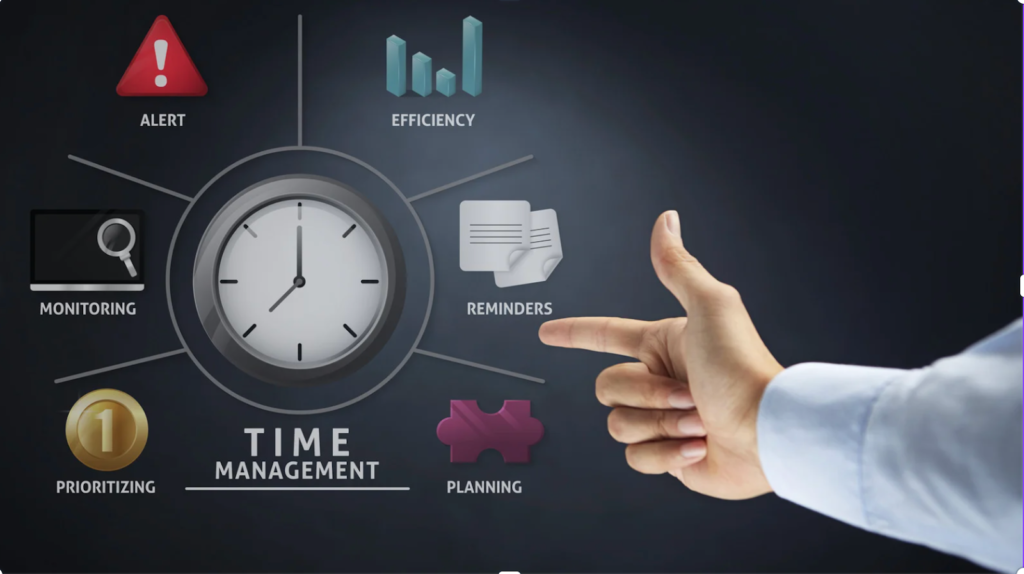
A good time-management routine isn’t built overnight. It grows through small habits repeated consistently. Here’s a simple step-by-step starter plan:
Step 1: Run a Time Audit
Observe your daily schedule for 3–7 days. Identify distractions, time sinks, productive periods, and recurring tasks.
Step 2: Create a Weekly Plan
List everything you need to do, then use the Eisenhower Matrix to organize tasks by priority. Identify your “big rocks”, the tasks that matter most this week.
Step 3: Time Block Your Day
Assign tasks to specific time slots. Use the Pomodoro Technique or 60–90 minute focused blocks depending on your work style. Make sure tasks appear directly in your daily calendar.
Step 4: Use Buffer Time
Life isn’t perfect, and schedules shift. Adding buffer time between tasks prevents stress and keeps your plan realistic.
Step 5: Review & Adjust
End your day or week with a quick reflection. What worked? What didn’t? Update your next week accordingly.
A calendar-first system makes these steps smoother, helping you follow your routine effortlessly and stay on track.
Time-Blocking & Structuring Your Day with Purpose

Time-blocking is one of the most effective ways to gain total clarity over your day. Instead of moving through tasks reactively, you assign specific time slots for deep work, admin tasks, routines, breaks, and even leisure. This method helps eliminate decision fatigue because you know exactly what you should be doing at any given moment. It also prevents multitasking, the single biggest enemy of productivity.
Using a calendar-first planning system like Fhynix, you can convert tasks into time-bound calendar blocks, ensuring everything appears visually in one unified timeline. This visual clarity is powerful: you immediately see whether your day is overloaded or realistically structured. You can adjust blocks, shift priorities, or add buffers with a single tap.
Time-blocking also boosts discipline without feeling restrictive. When you follow blocks consistently, your brain adapts to a predictable flow. Over time, your productivity stabilizes, stress reduces, and you experience more control over your day. It’s a simple technique that transforms planning into intention.
The Eisenhower Matrix: Prioritize What Truly Matters
The Eisenhower Matrix helps you categorise tasks into four quadrants: urgent & important, important but not urgent, urgent but less important, and low-priority. This framework is especially useful when your schedule feels cluttered or when you’re not sure where to start. Instead of reacting to everything that demands attention, you make mindful decisions about what truly deserves your time.
Through Fhynix’s unified planner, you can easily convert high-priority tasks into calendar events, schedule deadlines, and remove low-value activities. This keeps your timeline meaningful and aligned with real goals instead of busywork.
The matrix encourages you to protect your time from unnecessary commitments and focus your energy on tasks that deliver long-term results. It also teaches you to delegate or delete activities that drain your mental bandwidth. By combining this method with a smart calendar workflow, you ensure your priorities stay visible, not lost in a scattered to-do list.
The Pomodoro Technique: Work in Short, Focused Bursts
The Pomodoro Technique increases productivity by dividing work into 25-minute focused intervals followed by short breaks. These bursts help maintain concentration while preventing burnout. It’s especially useful if you struggle with procrastination, attention drift, or long study/work sessions.
Within Fhynix, you can assign tasks to specific time blocks and use them as Pomodoro intervals. This ensures your work rhythm appears directly inside your calendar timeline, helping you maintain structure without overworking. Over time, your mind adapts to these cycles, making it easier to get started, even on difficult tasks.
Pomodoros also encourage task estimation. When you track how many intervals each activity actually takes, you build a more realistic understanding of your workload. This directly leads to better planning, smoother scheduling, and reduced overwhelm. It’s a simple method that, when combined with a calendar-focused app, creates a powerful focus system.
The Two-Minute Rule: Stop Procrastination Fast
If a task takes less than two minutes, do it immediately. This rule eliminates the mental burden of small tasks accumulating in your mind and cluttering your planner. These tiny actions, sending a message, filing a document, replying to an email, take little effort but create big relief once cleared.
Using Fhynix, you can quickly convert these micro-tasks into calendar entries or complete them instantly using voice or text input. The rule also helps maintain momentum. Once you start completing small tasks, your brain enters a “success loop” that encourages you to tackle bigger responsibilities.
This technique is ideal for students, professionals, and anyone overwhelmed by small but necessary tasks. Instead of delaying them and letting them pile up, the two-minute rule keeps your workflow clean, your schedule light, and your mind clear. It’s a powerful way to remove friction from your day.
Using a Unified Calendar App Like Fhynix, The Modern Time-Management Hub
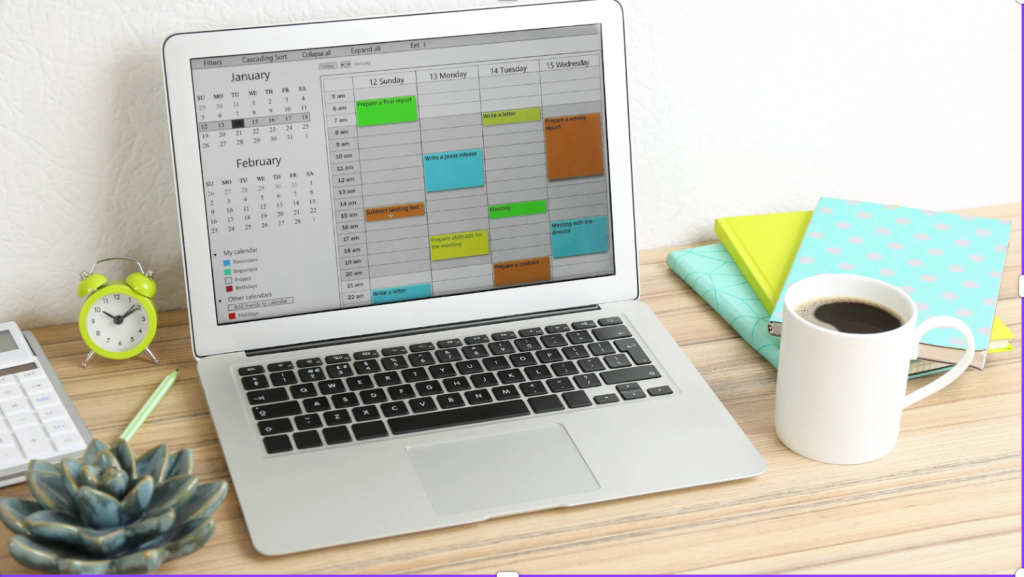
Tools alone don’t create productivity; clarity does. A unified calendar-first planner like Fhynix offers exactly that. Instead of juggling separate to-do lists, deadline trackers, and note apps, everything appears directly inside your calendar timeline. Tasks, routines, schedules, reminders, and events live in one place, helping you plan smarter and avoid overbooking.
Fhynix’s AI-assisted input lets you add tasks or events through simple text, voice, or uploaded images. It interprets time, dates, and priorities automatically, allowing you to focus on what matters instead of formatting your schedule. The app also supports color-coded days, automatic smart reminders, and integration with external calendars.
By merging tools and techniques into a single system, Fhynix empowers you to stay consistent, something most productivity methods fail at. When your schedule, priorities, and habits sync seamlessly, time management becomes effortless. It’s planning made smarter, simpler, and more intentional. Whether you’re building the best daily routine for students, managing work schedules, or looking for the best productivity apps, having a unified to-do app with tasks and calendar makes all the difference.