
Choosing the right daily planner can transform how you manage your time. Two popular options—Routine and Fhynix—have distinct philosophies about how your day should be organized. Understanding these differences helps you pick the app that matches your workflow.
Understanding Routine: The Task-Centric Planner
Routine positions itself as a comprehensive productivity tool designed for professionals and teams. It consolidates tasks, notes, and calendar events into a single workspace, with a focus on keyboard shortcuts and quick capture—ideal for desktop power users.
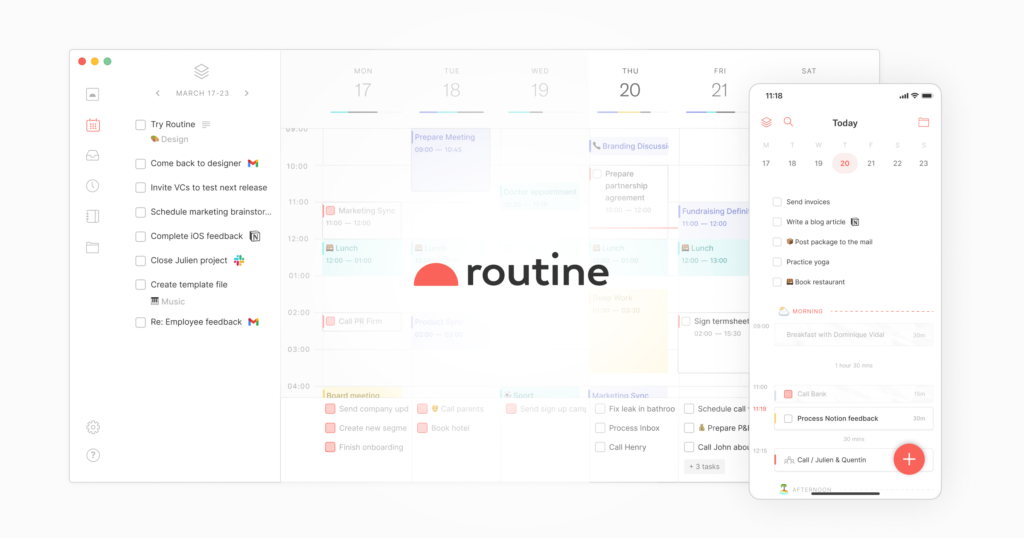
Tasks and notes take center stage; calendar integration complements the workflow. Users enjoy the clean interface and the ability to quickly capture thoughts, then schedule them later.
What Makes Fhynix Different: Calendar-First Planning
Fhynix flips the model: your calendar is the core. Tasks appear directly on your timeline alongside meetings and events. Instead of a separate to‑do list, you see when you’ll actually do each task. This calendar‑first approach makes planning realistic.
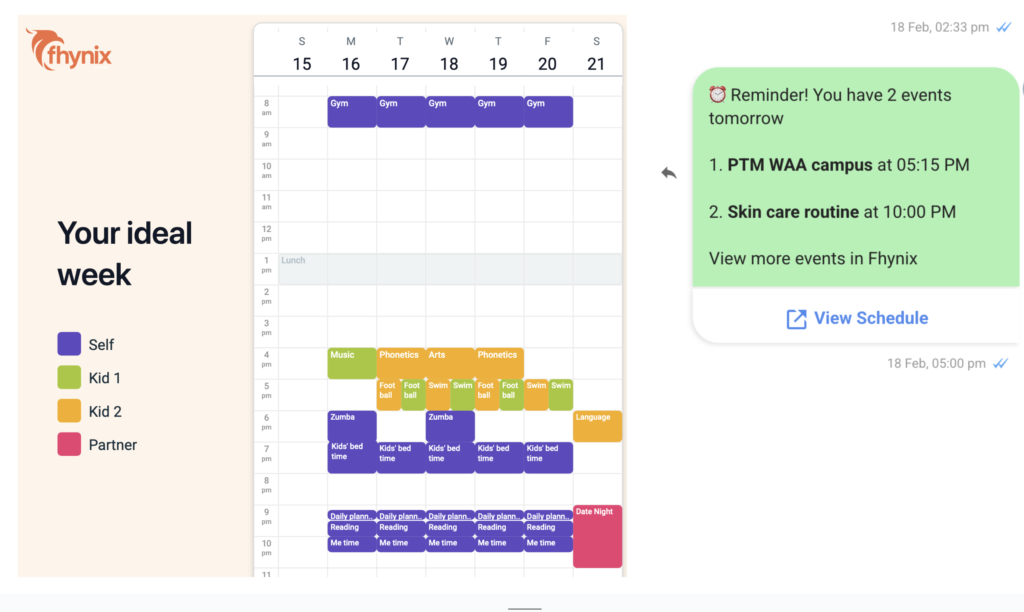
This unified view means you’re not constantly switching between a task list and a calendar. For a deeper look, see our Fhynix vs. Me+ comparison.
Feature Comparison: Routine vs Fhynix
| Feature | Routine | Fhynix |
|---|---|---|
| Primary Focus | Task management with calendar support | Calendar‑first with integrated tasks |
| Task Input | Text‑based with keyboard shortcuts | Text, voice notes, and AI interpretation |
| Mobile Experience | Secondary to desktop | Fully mobile‑optimized (iOS & Android) |
| WhatsApp Integration | Not available | Reminders for calendar events via WhatsApp |
| External Calendar Sync | Yes | Yes (Google, Microsoft, Apple) |
| Voice Input | Limited | Full voice note support with AI processing |
| Habit Tracking | Available through tasks | Built‑in habits and routines tracking |
| Platform Availability | Desktop‑first (Mac, Windows) | Mobile‑first with Apple Watch support |
| Color Coding | Basic | Color‑coded categories for work, personal, fitness, family |
| Smart Scheduling | Manual scheduling | AI‑powered suggestions and bulk entry |
The Calendar-First Philosophy
Fhynix operates on the principle that to‑dos are now part of your calendar timeline. This means when you tell Fhynix “Pay bills tomorrow at 4 pm” via text or voice, AI places it directly on your calendar. No more switching views to figure out when tasks will actually happen.
WhatsApp Reminders: Staying Connected to Your Schedule
Fhynix sends reminders for calendar events via WhatsApp—24 hours in advance plus a 10‑minute warning. This ensures you never miss a commitment, even if you’re not actively checking the app.
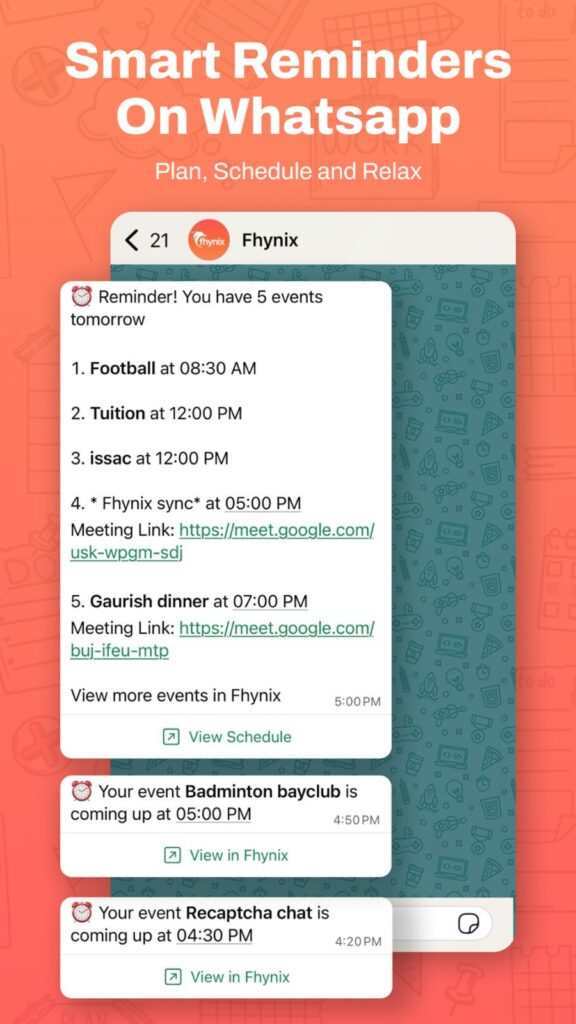
Users find this “super unique and actually keep me on track.” It’s especially useful for families and busy professionals. Explore best reminder apps for more ideas.
Managing Multiple Aspects of Life
Fhynix is built to consolidate work, personal, fitness, and family schedules into one color‑coded view. It syncs with Google, Microsoft, and Apple calendars, acting as one of the best shared calendar apps for families and teams.
Voice and AI Capabilities
While Routine focuses on keyboard efficiency, Fhynix emphasizes flexibility: type, speak, or even upload images of schedules (like school calendars), and AI converts them into calendar entries. This makes planning feel like a conversation with a personal assistant. See how gamification and AI can boost engagement.
Habits and Routine Building
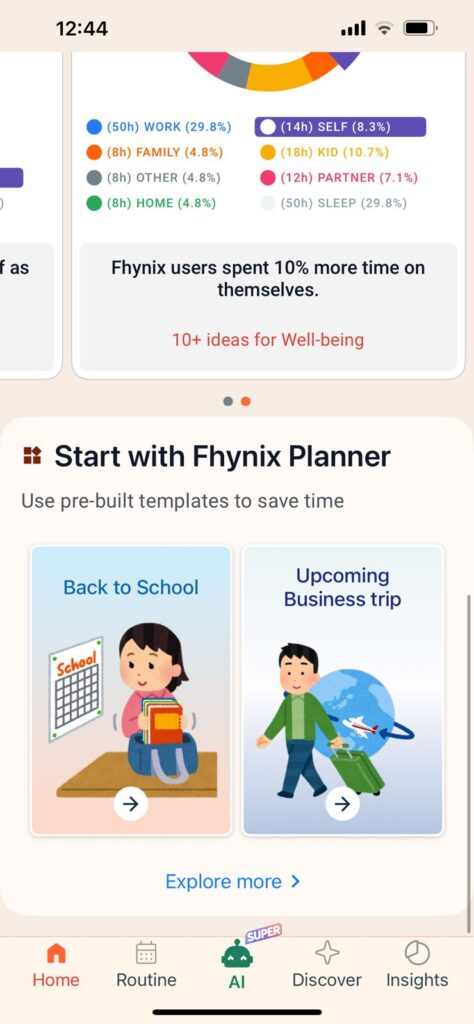
Fhynix offers dedicated features for tracking recurring tasks and daily routines, providing productivity insights over time. It’s more than a scheduler—it’s a companion for personal development.
Learn more about best habit tracking apps and how to integrate habits into your daily flow.
Who Should Choose Routine?
- Primarily work from a desktop computer
- Prefer keyboard shortcuts and quick commands
- Want a task‑centric workflow with calendar as secondary
- Value extensive note‑taking integrated with tasks
Who Should Choose Fhynix?
- Want tasks as part of your daily timeline, not separate lists
- Prefer mobile‑first planning with on‑the‑go access
- Value voice input and AI‑powered task entry
- Need WhatsApp reminder integration
- Manage multiple life areas (work, family, fitness) in one place
- Want to build habits and track routines alongside scheduling
- Appreciate color‑coded organization
The Bottom Line: Different Philosophies for Different Needs
Routine excels for desktop professionals who want powerful task management with calendar support. Fhynix shines for anyone who believes that tasks belong in your calendar, not on a separate list. The calendar‑first approach leads to more realistic planning and less overwhelm. For families, students, and busy professionals needing one unified planner, Fhynix’s mobile design and WhatsApp integration provide a more accessible experience.