

We live in the age of infinite commitments. Work deadlines collide with school pickups. Side projects compete with self-care. And somewhere in the middle, your to-do list sits untouched while your calendar overflows with meetings you forgot to prepare for.
The right planner app doesn’t just store your tasks; it helps you decide when they happen, what deserves your energy, and how to build a day that actually reflects your priorities. In 2026, the best planner apps have evolved far beyond simple checklists. They combine AI scheduling, calendar integration, habit tracking, and smart reminders into one unified experience.
This guide breaks down what makes a great planner app, highlights the key features to look for, and explains how to choose the right one for your unique life, whether you’re a busy professional, a parent managing a household, or a student juggling lectures and deadlines.
What Makes a Planner App Truly Great in 2026?
Not all planner apps are built the same. Some are glorified to-do lists with a calendar skin. Others are so complex that they require a tutorial just to add a task. The best planner apps in 2026 share a handful of defining traits:
• Calendar-first design: Tasks should live on a timeline, not a separate list. When you see your day as a schedule, you stop over-committing and start planning realistically.
• AI-powered input: Natural language processing lets you add events by simply typing or saying things like “Dentist tomorrow at 11 am” no forms, no friction.
• Cross-platform calendar sync: The best tools pull in your Google, Microsoft, and Apple calendars so everything lives in one view.
• Smart reminders: Reminders via WhatsApp, push notifications, or SMS ensure you actually follow through not just plan.
• Habit and routine support: The ability to schedule recurring tasks and track streaks helps you build consistency, not just complete one-offs.
• Whole-life coverage: Work, family, fitness, self-care your planner should handle everything without requiring multiple apps.
For a fuller picture of what calendar-first planning looks like in practice, exploreLife Organisation: The ‘Calendar-First’ Blueprint for 2026.
The Key Features to Compare When Choosing a Planner App
Before you commit to any tool, assess your needs honestly. Here are the features that matter most:
1. Task-to-Calendar Integration
The single biggest gap in most planner apps is the disconnect between tasks and time. A task on a list is a wish. A task on a calendar is a commitment. Look for apps that place to-dos directly onto your daily timeline, giving each task a real start time and duration. This is the philosophy behind Fhynix: to-dos are part of your calendar schedule, not a separate silo. Learn more in Daily Grind Planner: Why Your Tasks Belong in Your Calendar.
2. Smart Reminder Systems
In-app notifications are easy to swipe away. What separates a good reminder system from a great one is where the reminder reaches you. Fhynix delivers reminders via WhatsApp a platform most people check consistently throughout the day, meaning you’ll actually see the alert when it matters. Reminders fire approximately 24 hours in advance and again 10 minutes before the event. For more on how WhatsApp reminders can transform your follow-through, read Boost Productivity with Reminder WhatsApp Messages.
3. Habit and Routine Tracking
A planner that only handles one-off tasks misses half the picture. Recurring habits gym, reading, journaling, and family dinners, are the backbone of a well-structured life. Look for apps that support recurring tasks, streaks, and productivity insights. Fhynix includes habit tracking so your routines are as visible and protected as your meetings. Explore further in The 10 Best Habit Tracking Apps: Build and Track Habits in 2026.
4. Weekly and Monthly Planning Views
Some days demand granular hour-by-hour control. Others call for a bird’s-eye view of the week or month. The best planner apps offer flexible views so you can zoom in and out as needed. A weekly schedule maker is especially powerful for batch-planning, setting up an entire week in one sitting. See Best Weekly Schedule Maker Tools for Work & Personal Planning for practical guidance on this.
Who Is Each Type of Planner App Best For?
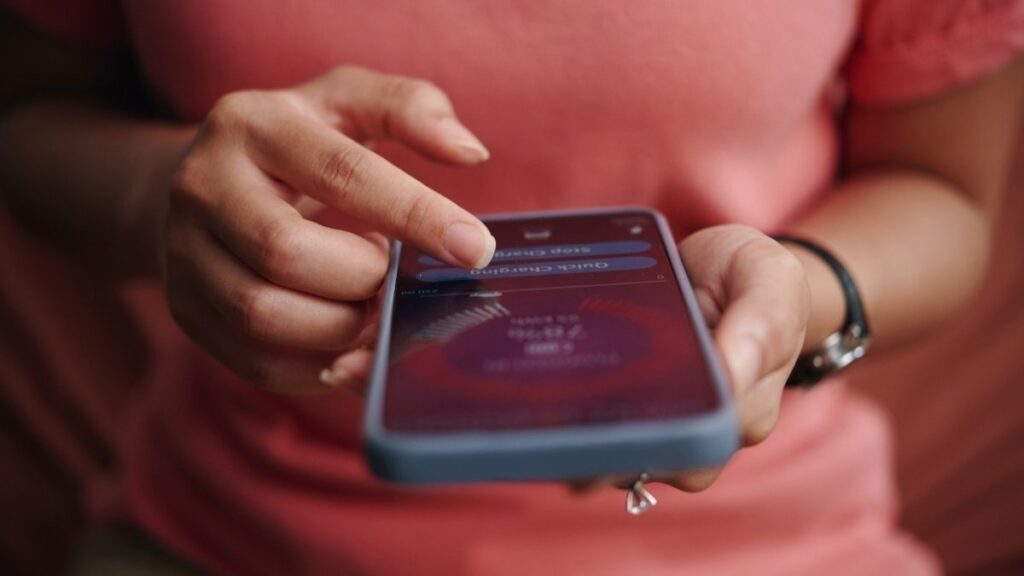
There is no universal best planner app, only the best one for you. Here’s a quick breakdown by user type:
• Busy professionals: Need calendar sync, time-blocking, and smart reminders to manage back-to-back meetings and project deadlines. A calendar-first app like Fhynix works best here.
• Students: Benefit from deadline tracking, class schedules, assignment reminders, and habit support for study sessions. Check out Best Student Planner Apps for Daily Scheduling for tailored picks.
• Parents and families: Require shared scheduling, kids’ activity tracking, and whole-family visibility. Fhynix handles multi-person life coordination, school runs, appointments, and meal plans all in one timeline.
• Freelancers: Need flexible time tracking, project-based scheduling, and clear work/personal separation. A planner with colour-coded calendar views handles this well.
• Health and fitness enthusiasts: Want recurring workout slots, rest day planning, and habit streaks. Fhynix allows you to block gym time like any other calendar event, ensuring it’s protected.
Why Fhynix Stands Out Among the Best Planner Apps in 2026
Fhynix was built around a single insight: most people don’t fail at planning because they lack discipline. They fail because their tools separate tasks from time, making it impossible to see when work will actually get done.
Fhynix solves this with a calendar-first architecture where to-dos are part of your daily schedule, not a parallel list. Add tasks via voice or text, sync all your external calendars, get WhatsApp reminders, track habits, and discover community routines all in one app.
Here’s what makes Fhynix different:
• To-dos live directly in your calendar timeline, one unified planner for all your daily routines and events
• AI interprets natural language to schedule tasks instantly
• WhatsApp reminders ensure you never miss a calendar event
• Colour-coded views separate work, personal, fitness, and family
• Syncs Google, Microsoft, and Apple calendars in one place
• Habit tracking and productivity insights built in
For professionals specifically looking to improve output without burnout, How to Improve Work-Life Balance Without Sacrificing Productivity offers a practical framework worth reading alongside this guide.
Find Your Planner, Own Your Time
The best planner app is the one you’ll actually use consistently, every day, across every area of your life. In 2026, that means choosing a tool with AI-powered input, calendar-first task management, smart reminders, and flexible views for both personal and professional life.
Fhnix brings all of this together in a single daily planner built for real life, not just work tasks. Whether you’re a parent, professional, student, or someone simply trying to spend time on what matters most, Fhynix gives you the structure to make it happen.
Download Fhynix on iOS or Android and start planning your day the way it was meant to be planned with everything in one timeline.
FAQs
1. What is the best planner app for daily use in 2026?
The best planner app for daily use depends on your lifestyle, but the top picks combine calendar-first design with AI-powered input and smart reminders. Fhynix is built for whole-life planning, integrating to-dos, calendar events, habits, and WhatsApp reminders into a single unified timeline, making it ideal for busy individuals managing both personal and professional commitments.
2. Are free planner apps good enough, or should I pay for one?
Many free planner apps offer solid core features like task creation and calendar views. However, premium or feature-rich apps typically provide deeper integration, AI scheduling, habit tracking, and reliable reminder systems. The key is finding a free app that doesn’t lock critical features behind a paywall. Fhynix offers calendar-first planning with AI input and WhatsApp reminders without requiring you to navigate complex pricing tiers.
3. What’s the difference between a planner app and a calendar app?
A calendar app primarily stores events with times and dates. A planner app goes further by combining task management, goal-setting, habits, and scheduling into one experience. The best planner apps of 2026 blur this line entirely, placing tasks on a calendar timeline so you can see your full day in one view, rather than toggling between a task list and a calendar separately.
4. Can a planner app help me manage both work and personal tasks together?
Absolutely. In fact, separating work and personal planning into different apps is one of the biggest reasons people feel disorganised. The best planner apps support whole-life scheduling, syncing external work calendars, personal events, fitness goals, and family commitments into one colour-coded view. Fhynix was specifically designed to cover all life categories: work, self-care, kids’ activities, social events, health, and home to-dos.
5. How do I know if a planner app will actually help me stay consistent?
Consistency comes from low friction and reliable reminders. If an app is hard to use, you’ll stop using it within a week. Look for apps with fast input (voice or text), automatic scheduling, and reminders that reach you on platforms you already use daily, like WhatsApp. Reviewing your schedule weekly and adjusting time blocks also builds the habit of planning itself. The best planner apps make this review process simple and visual, so consistency becomes a natural outcome rather than a chore.