
iPad planners have evolved beyond simple digital notebooks. With Apple Pencil and powerful apps, your iPad can become a comprehensive planning system. Yet most “best iPad planner” lists miss the distinction between apps digitizing paper planners versus apps leveraging what digital planning uniquely offers.
Digital notebook apps like GoodNotes let you write on beautiful PDF templates with Apple Pencil, excellent for recreating paper planner experience. But they don’t solve the fundamental challenge: integrating your schedule with actual time available across all life areas.
This is where calendar-first planning through Fhynix transforms iPad planning from beautiful documentation into functional time management.
What iPad Users Actually Need
When searching for the best iPad planner app, most people are asking: “How do I manage my complex life on this device?”
Real Requirements: See all commitments unified, schedule tasks into available time, sync external calendars, access across devices, share schedules, get effective reminders, work with touch/pencil/keyboard.
Traditional iPad planners excel at one or two requirements while falling short on others. Digital notebooks prioritize handwriting. Task apps focus on lists. Calendar apps show schedules but lack task integration.
For comprehensive strategies, best daily routine applications explores how unified systems beat fragmented approaches.
iPad Planner Apps Comparison
| App Type | Examples | Primary Strength | Key Limitation | Best For |
| Digital Notebooks | GoodNotes, Notability, Pencil Planner | Beautiful handwriting experience with Apple Pencil | Manual updating; doesn’t sync with external calendars | Those prioritizing aesthetic paper-like experience |
| Task Managers | Todoist, Things, TickTick | Excellent task capture and organization | Tasks separate from calendar; no unified timeline | Individual task tracking without complex scheduling |
| Traditional Calendar Apps | Fantastical, Apple Calendar | Clean scheduling with external calendar sync | Limited task management and habit tracking | Simple calendar needs without extensive planning |
| Calendar-First Planning (Fhynix) | Fhynix | Unified timeline showing all commitments with external sync | Requires commitment to scheduling versus listing | Complete life planning with time management |
Why Most iPad Planners Miss the Mark
Digital Notebooks: Beautiful Apple Pencil experience, but every schedule change requires manual rewriting. Don’t sync with external calendars, you manually transcribe university, work, and personal calendars, creating error opportunities.
Task Apps: Great on iPad but tasks separate from calendar. “Write research paper” shows due date but not that you have three exams, work shifts, and family events the same week, no visible time to actually write.
Simple Calendars: Show schedules but lack comprehensive task management, habit tracking, or unified views needed for complex lives.
The Calendar-First Solution: Fhynix on iPad
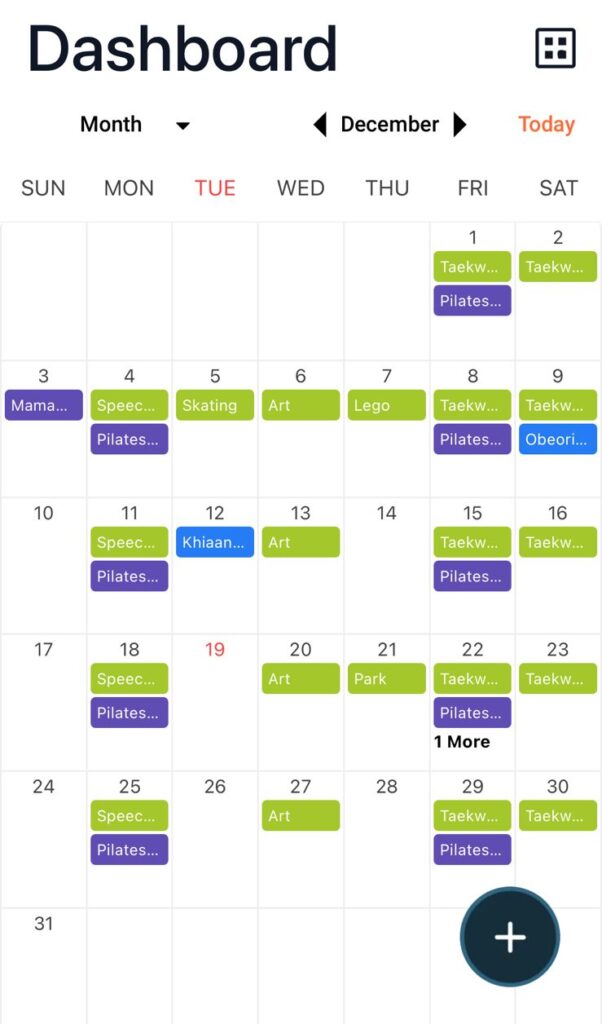
Fhynix leverages what digital planning uniquely offers while working beautifully on iPad.
Unified Timeline: See everything, classes, work, assignments with scheduled work sessions, personal time. iPad’s larger screen makes weekly and monthly patterns clear. Syncs across iPad, iPhone, all devices automatically.
External Integration: University calendar, work schedule, personal Google Calendar merge into one view. Changes sync automatically, no manual updating.
Flexible Input: Works with touch, voice, or keyboard. Not locked into Apple Pencil requirement. Add events by tapping, speaking, or typing.
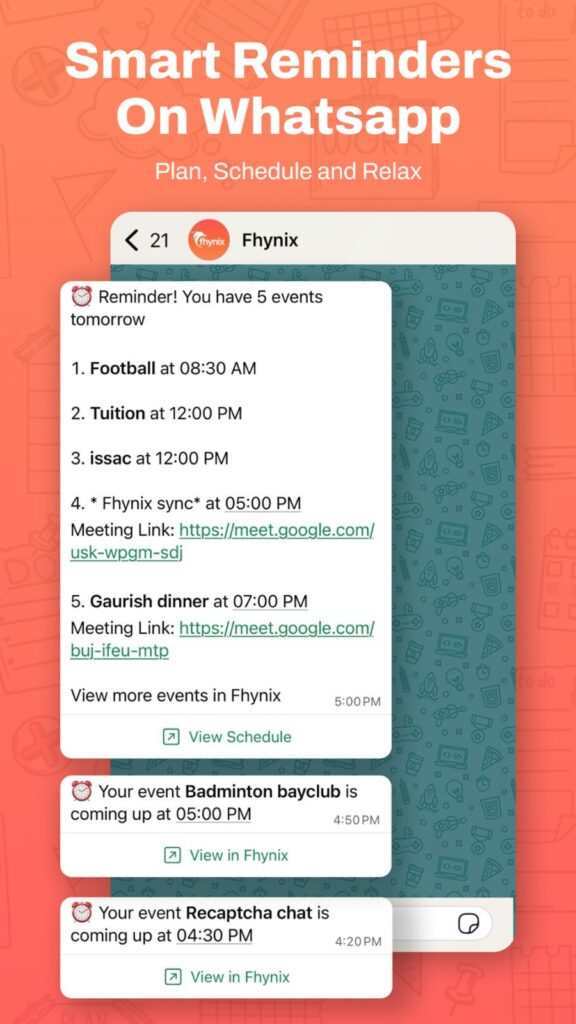
WhatsApp Reminders: Calendar event reminders through WhatsApp, checked constantly by students, dramatically increase follow-through versus ignored iPad notifications.
Family Coordination: Share calendar with parents, roommates, study groups. They see availability without needing iPad access.
Color-Coded Visuals: Different colors for life areas show weekly balance instantly on iPad’s display.
For students managing academic planning, academic goals for students shows calendar-first methodology ensuring goals become scheduled actions.
Real iPad User Scenarios
College Student: Traditional approach uses four separate apps, GoodNotes for assignments, Apple Calendar for classes, Notes for planning, Reminders for tasks. Constant mental coordination required.
Fhynix approach: Everything on one timeline. University calendar syncs automatically. Schedule exam review sessions as calendar blocks. Work shifts pull from employer calendar. Study group meetings from shared Google Calendar. Free time visible immediately.
Professional: Traditional uses Fantastical for meetings, Trello for projects, separate notebook, scattered email invites. Beautiful apps, fragmented system.
Fhynix approach: Client meetings, project deadlines with work blocks, personal commitments unified. iPad shows complete picture. Schedule deep work around meetings, protect personal time, see conflicts before accepting commitments.
For comprehensive strategies, how to plan your day everyday productivity made easy offers frameworks working beautifully on iPad.
When to Choose Different iPad Planners

Choose digital notebooks if: Aesthetic and handwriting experience is top priority, you have simple static schedules, you enjoy manual planning, you want iPad-exclusive Apple Pencil experience.
Choose Fhynix if: Complex schedules with multiple life areas, need automatic external calendar sync, want cross-device access, value time visibility over handwriting aesthetics, need family/team coordination.
For alternatives beyond traditional planning, 5 Skylight Calendar alternatives: 5 picks that are perfect for you compares calendar-first approaches.
Getting Started with Calendar-First iPad Planning
Week 1: Connect external calendars (university, work, Google, iCloud). Everything syncs automatically into Fhynix on iPad showing actual schedule.
Week 2: Schedule tasks into time blocks. “Write paper” becomes “Outline Monday 3-4 PM, draft Tuesday 7-9 PM, edit Wednesday 2-3 PM.”
Week 3: Adjust time blocks based on reality. Consistent task completion failures reveal underestimation or overcommitment, both become obvious with calendar-first planning.
Week 4: Enable calendar sharing for coordination. Parents see exam weeks, roommates see work schedules. iPad becomes personal command center others reference without device access.
For time blocking strategies, best planner for time blocking provides iPad-optimized frameworks.
Frequently Asked Questions
Q: Can I use Apple Pencil with Fhynix?
A: The iPad interface works with any input method. However, calendar-first planning emphasizes quick capture and automatic syncing over aesthetic handwriting. The trade-off gains external calendar integration and cross-device functionality that handwritten planners can’t match.
Q: Will my digital planner templates work with calendar-first planning?
A: Calendar-first is fundamentally different from digital notebooks. You’re not recreating paper aesthetics, you’re leveraging automatic syncing, unified visibility, and real-time updates. If aesthetics matter more than functionality, digital notebooks remain better. If managing time matters most, calendar-first wins.
Q: Can I switch from GoodNotes to Fhynix?
A: Yes, though it’s a philosophical shift from documenting schedules to actively managing time. Rebuild your schedule once with voice/text input, then everything maintains automatically through external syncing. You lose handwriting aesthetics but gain integration, automation, and complete time visibility.
Q: Does Fhynix work offline on iPad?
A: Yes, core functionality works offline. Calendar views, scheduled events, and color-coding remain accessible. External syncing requires connectivity, but existing schedules remain viewable offline.
Making the iPad Planner Decision
The best iPad planner isn’t the one with beautiful templates or most Apple Pencil features, it’s the one you’ll use to accomplish goals despite competing commitments and finite time.
Digital notebooks excel at recreating paper experience. They’re gorgeous and satisfying but require manual maintenance and don’t solve modern integration challenges where calendars, tasks, and commitments come from multiple sources.
Calendar-first planning prioritizes function: automatic syncing, unified visibility, cross-device access, family coordination. The iPad becomes a window into your complete schedule rather than just a beautiful place to write.
Your iPad is powerful enough to be your complete planning system. The question is whether you want an app digitizing the past (paper planners) or leveraging the future (unified digital planning with automatic integration).
Start with Fhynix on your iPad for one week. Connect calendars, schedule commitments, see everything together. Within days, unified visibility’s power becomes clear, you’ll understand why calendar-first beats beautiful notebooks when life gets complex.
The best planner app for iPad helps you actually manage time, not just document it. That’s what calendar-first planning delivers.