
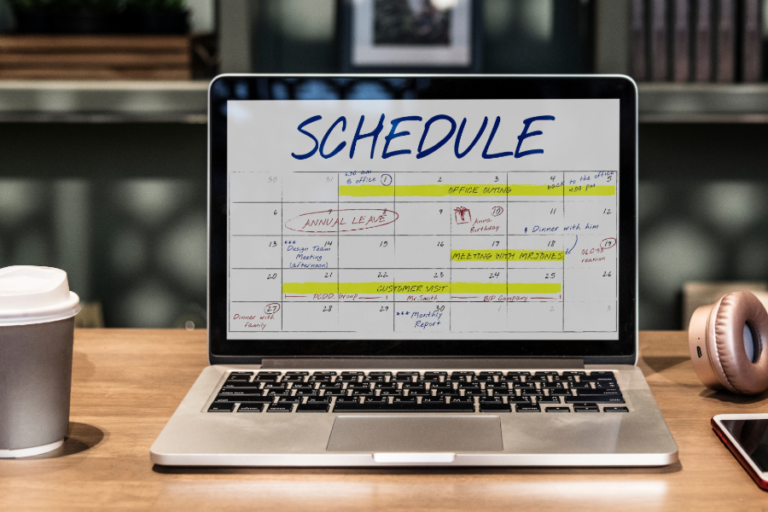
If you’ve searched for “free digital planner,” you’ve probably noticed a frustrating pattern: most “free” options are either 7-day trials in disguise, pretty templates that don’t actually function, or apps that lock every useful feature behind a paywall.
Students, professionals, and busy parents all face the same challenge — finding a digital planner that’s genuinely free, actually helps you stay organized, and doesn’t require a PhD to set up.
This guide cuts through the marketing noise. We’ll look at truly free digital planners that people actually use in 2026, what makes them work, and why the fanciest option isn’t always the best one.
Why Most “Free” Digital Planners Aren’t Really Free
Let’s get honest about what “free” means in the digital planner world.
- Free trial ≠ free planner — Many apps advertise as “free” but give you 7-14 days before demanding payment. That’s a trial, not a free product.
- Feature limitations make them unusable — Some planners are technically free but cap you at three tasks, one calendar, or prevent exporting.
- Templates aren’t planners — A PDF template for GoodNotes is lovely, but it’s static. When your week changes, you’re stuck erasing or starting over.
- Hidden costs add up — The planner is free, but you need to buy the specific app to use it, or subscribe to access sync features.
- “Freemium” frustration — When 80% of useful features live behind the paywall, constantly being reminded of what you can’t access becomes exhausting.
The best free digital planners give you functional tools without constant upsells or artificial limitations.
What Makes a Good Free Digital Planner?
Based on what real users say actually matters:
- Truly free core features — The basic functionality (adding tasks, seeing your schedule, setting reminders) should work without payment.
- Cross-device syncing — Your planner should follow you from phone to tablet to computer seamlessly.
- Easy task capture — If adding a task takes more than 10 seconds, you won’t use it consistently.
- Flexible views — See your day, week, and month without switching apps or pages.
- Adapts when plans change — Static layouts break when real life happens. Good planners adjust gracefully.
- Actual reminders — Notifications that work, at times you choose, without requiring premium upgrades.
For those exploring best planner tools for busy people, these features separate tools you’ll use daily from apps you’ll abandon by next week.
The Best Free Digital Planners for 2026
Let’s look at what actually works, starting with the most versatile option.
1. Fhynix — Smart Digital Planning Without the Complexity
Best for: People who want AI-powered planning that actually stays free
Fhynix takes a different approach to digital planning by combining tasks, events, and routines in one adaptive timeline.
What makes it stand out:
- Voice and text input — Add plans by speaking or typing naturally. Say “team meeting Thursday 2pm” and it’s scheduled.
- WhatsApp reminders — Get notifications where you actually look, not buried in app notifications you’ll ignore.
- Calendar integration — See everything in one timeline: work meetings, personal tasks, habits, and reminders.
- Smart rescheduling — When plans shift (and they always do), updating is simple without manually moving everything.
- Genuinely free core features — No artificial caps on tasks, calendars, or basic functionality.
Unlike static PDF planners or rigid time-blocking apps, Fhynix adapts to how your day actually unfolds. For those interested in how to plan your day effectively, Fhynix removes the friction that makes other planners feel like work.
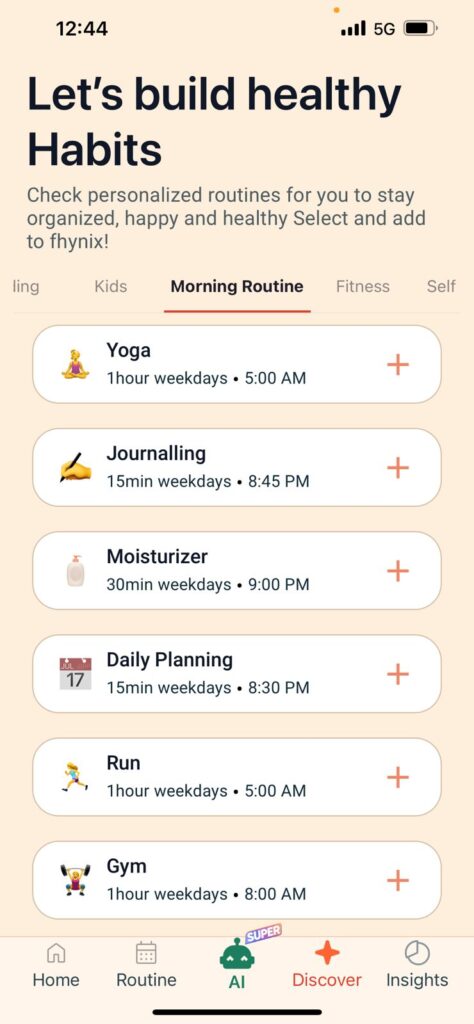
Pricing: Free version available; premium for advanced automation
Platforms: iOS, Android, Web
2. Google Calendar + Google Tasks — The Reliable Standard
Best for: People already in the Google ecosystem
Sometimes the best digital planner is already on your devices. Google Calendar paired with Google Tasks creates a functional planning system without downloading anything new.
What works: Completely free, syncs across devices, integrates with Gmail, color-coding, shared calendars.
What doesn’t: Limited task management, no advanced automation, tasks and calendar feel separate.
For basic digital planning without cost, Google’s native tools handle the essentials. Pair it with best reminder apps principles for better integration.
3. Notion — Customizable All-in-One Workspace
Best for: People who want complete control over their planning system
Notion offers incredible flexibility through customizable templates and databases.
Strengths: Completely free for personal use, create custom layouts, combine notes/tasks/calendars, hundreds of free templates.
Weaknesses: Steep learning curve, requires time to set up, mobile app slower.
For those seeking online planner options with less complexity, simpler alternatives often work better.
4. Apple Calendar + Reminders — Native iOS Solution
Best for: iPhone and Mac users who prefer built-in apps
Apple’s native planning tools offer surprising functionality without third-party apps.
Benefits: Already on your devices, seamless sync across Apple ecosystem, Siri integration, no learning curve, zero cost.
Limitations: Limited outside Apple’s ecosystem, basic features, tasks and calendar separate.
Combining with best reminder apps for iPhone enhances functionality.
5. Todoist — Task-Focused Planning
Best for: People who think in tasks more than calendar events
Todoist recently added calendar views, bridging task management with time-based planning.
Free plan limitations: 5 active projects maximum, basic filters only, no reminders, limited collaboration.
6. Any.do — Simple Daily Planning
Best for: People who want minimal setup and quick task entry
Any.do focuses on simplicity with daily planning views and quick task capture.
7. PDF Planners for GoodNotes/Notability — The Static Option
Best for: iPad users who prefer handwriting and don’t mind manual planning
Beautiful? Yes. Functional when life gets chaotic? Not really. For students exploring best student planner apps, digital apps with automation often work better than static PDFs.
When Free Digital Planners Actually Limit You
Sometimes “free” costs more than paying.
Consider upgrading when: You’re managing complex projects, collaboration becomes essential, you need advanced automation, free limitations genuinely block your productivity.
Stay free when: Basic features meet your actual needs, you’re still experimenting, your planning needs are straightforward, the “premium” features are wants, not needs.
Most people overestimate how many features they actually need. Start free, upgrade only when genuinely limited.
Final Thoughts
The best free digital planner is the one you’ll actually use tomorrow, next week, and next month.
It might be Fhynix with smart rescheduling. It might be Google Calendar with sticky notes. It might be Notion templates you customize once and use forever.
What matters is finding a system that reduces mental load instead of adding to it. Start with genuinely free options, use them for at least two weeks before switching, and resist the urge to over-complicate your setup.
Your productivity comes from completing tasks, not from having the most sophisticated planning system. Pick something simple, start today, and adjust as you learn what actually works for your life.