

If you’ve been using Todoist, you already know it’s one of the most popular task managers out there.
But here’s the problem:
👉 It helps you capture tasks
❌ It doesn’t help you actually live your day better
That’s why more people are switching to Todoist alternatives that combine:
- tasks + calendar
- habits + routines
- AI + planning
In this guide, we’ll break down the best Todoist alternatives in 2026, and help you pick the right one based on how you actually plan your life.
Why look for a Todoist alternative?
While Todoist is powerful, it has some limitations:
- Limited free plan (projects, reminders)
- No built-in habit tracking or deeper life planning
- Weak calendar-first planning
- No real AI-driven execution
In short: it manages tasks, but not your time, energy, or priorities
What to look for in a Todoist alternative
Before switching, check this the best productivity apps blog:
1. Do you want tasks or a full life system?
- Just tasks → simple apps work
- Tasks + routines + goals → you need more
2. Do you plan by list or calendar?
- Todoist = list-first
- Modern tools = calendar-first planning
3. Do you want AI help?
- New tools suggest what to do next
- Old tools just store tasks
Why AI + WhatsApp reminders are a game-changer

Most task managers—including Todoist—rely on one thing:
👉 You opening the app
And that’s where the system breaks.
Because in real life:
- You forget to check your task list
- You get busy
- You procrastinate
- Your day gets reactive
The problem with traditional reminders
Todoist reminders:
- Are easy to ignore
- Live inside the app
- Depend on your discipline
So tasks don’t fail because you didn’t plan them…
They fail because you didn’t act on them at the right moment
Why AI + WhatsApp works better
Now imagine this instead:
-
You send a quick message like:“Remind me to finish my report tomorrow at 10”
- AI understands it
- Schedules it
- And sends it back to you on WhatsApp
👉 The same place you already check 50+ times a day
What changes with this system
- Zero friction capture
No app switching. No formatting. Just message → done. - Contextual reminders
AI doesn’t just remind—it helps prioritize what matters today. - Higher follow-through
WhatsApp notifications are far harder to ignore than app alerts. - Natural behavior, not forced discipline
You don’t have to “remember to check your planner” anymore.
| Feature | Todoist | TickTick | Any.do | Fhynix Best Choice |
|---|---|---|---|---|
| Core Approach | Task manager | Task + habits tool | Simple planner | AI-powered life system |
| Task Capture | Natural language input | Basic NLP | Simple input | AI + WhatsApp (text, voice, images) |
| Calendar Integration | Limited | Built-in calendar | Calendar view | Full day planning (tasks + routines + events) |
| Habit Tracking | ✖ | ✔ | ✖ | ✔ |
| AI Capabilities | ✖ | ⚠ Limited | ✖ | ✔ Core feature |
| Daily Planning | List-based | List + calendar | Daily planner | Auto-generated daily plan |
| Reminders | App notifications | App notifications | App notifications | WhatsApp reminders (high engagement) |
| Execution Support | ✖ | ⚠ Partial | ✖ | ✔ AI nudges + real-time planning |
| Ease of Use | Simple | Moderate | Very simple | Chat-based (very easy) |
| Dependency on App | High | High | High | Low (works via WhatsApp) |
| Best For | Task organization | Power users | Minimalists | People who want to actually execute daily |
1. Fhynix – Best Unified Calendar & Task Alternative
Pricing: Free plan available; Premium from $4.99/month
Fhynix represents a fundamental shift from traditional task managers by placing your to-dos directly into your calendar timeline. Rather than maintaining separate lists and calendars, Fhynix creates one unified planner where tasks and events coexist, giving you a realistic view of your entire day at a glance.
Key Features
The platform’s calendar-first approach solves Todoist’s most significant limitation. Your tasks appear directly in your daily timeline alongside meetings, appointments, and events, allowing you to visualize exactly how your day will unfold. This integration prevents the common pitfall of scheduling eight hours of tasks on a day already packed with three hours of meetings.
Adding tasks is refreshingly simple. Type or speak naturally—”Call dentist tomorrow at 2 pm” or “Submit proposal by Friday”—and Fhynix’s AI interprets your intent automatically. The voice input feature makes capturing tasks effortless, even when you’re driving, cooking, or otherwise occupied. This natural language processing rivals Todoist’s while adding the calendar dimension Todoist lacks.
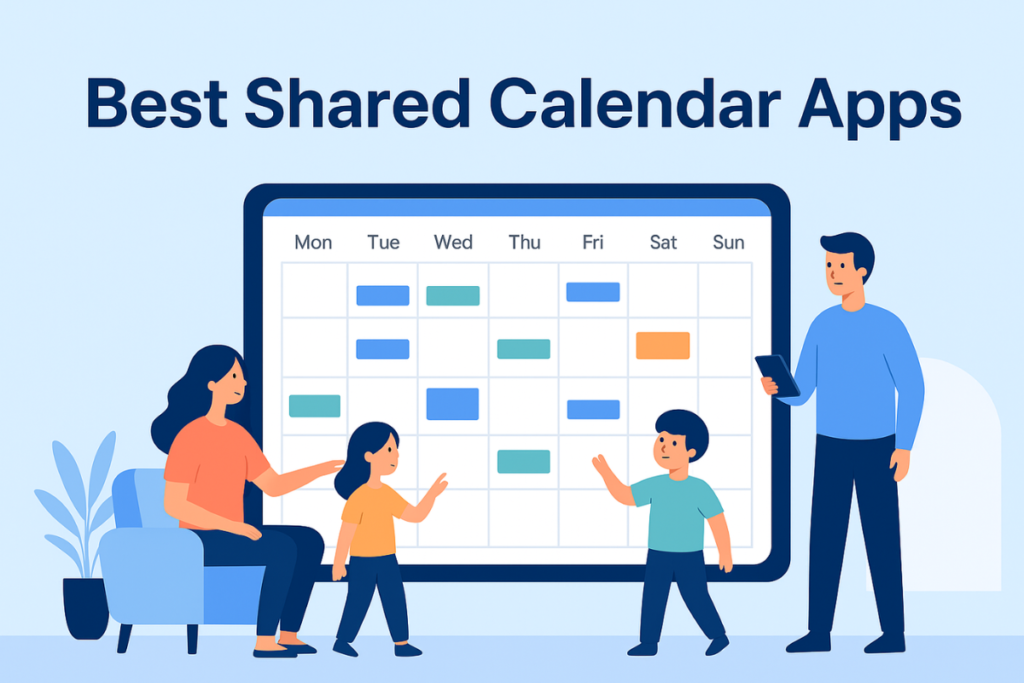
Fhynix’s color-coded calendar helps you distinguish between work, personal, fitness, and family commitments instantly. The platform consolidates multiple calendar sources—Google Calendar, Outlook, Apple Calendar—into a single, coherent view. No more switching between apps to understand your schedule.
WhatsApp reminder integration sets Fhynix apart from virtually all competitors. Reminders arrive via WhatsApp approximately 24 hours before events, plus a 10-minute warning as deadlines approach. This dual-channel approach (WhatsApp + in-app notifications) ensures you never miss important tasks, even if you’re not actively checking your planner.
For building lasting habits, Fhynix offers comprehensive routine tracking. Set recurring tasks, monitor your consistency, and access productivity insights that reveal patterns in your behavior. Unlike Todoist, which requires workarounds for habit tracking, Fhynix builds this functionality natively into the platform.
The mobile experience on iOS and Android matches desktop functionality, with Apple Watch support for iOS users. Whether you’re planning from your phone, checking your wrist during meetings, or reviewing your week on a tablet, Fhynix maintains consistency across devices.
Why Choose Fhynix Over Todoist
Fhynix addresses Todoist’s core limitation—the separation of tasks from time—while maintaining comparable pricing. At $4.99 monthly for premium features, it costs only slightly more than Todoist while delivering significantly broader functionality.
The calendar-first philosophy proves transformative for users who previously struggled with overloaded task lists. When you see tasks in the context of your available time, you naturally develop more realistic expectations about daily capacity. This visual integration reduces stress and increases follow-through.
Students managing class schedules and assignments, families coordinating multiple calendars, and professionals juggling projects and meetings all benefit from the unified view. As one user noted, “Fhynix has totally transformed the way my family functions… everything is in one place.”
The free plan provides substantial functionality for trying the platform risk-free. Advanced features like AI calendar capabilities, image uploads for bulk event entry (upload a schedule photo and let AI convert it), and support for multiple calendars demonstrate ongoing innovation. For comprehensive time management tools and techniques, Fhynix delivers exceptional value.
2. TickTick – Feature-Rich All-in-One Option

Pricing: Free plan; Premium at $27.99/year
TickTick matches Todoist’s task management capabilities while adding features like calendar view, habit tracking, and a Pomodoro timer—all at a lower annual cost. This makes it an attractive option for users wanting more functionality without significant additional investment.
The built-in calendar displays tasks alongside events, though integration feels less seamless than dedicated calendar-first platforms. Habit tracking includes customizable reminders, streak counting, and progress statistics. The Pomodoro timer helps maintain focus during work sessions, automatically suggesting breaks to prevent burnout.
TickTick’s flexibility shines through customizable smart lists that automatically filter tasks based on criteria you define. Multiple reminder types, priority levels, and tags provide organizational depth. The platform supports collaboration with shared lists and task assignment, making it suitable for small teams.
However, the interface feels dated compared to newer alternatives, and the calendar integration, while present, doesn’t achieve the unified experience that makes calendar-first platforms so effective. Still, at under $30 annually, TickTick delivers remarkable value for users wanting an incremental upgrade from Todoist.
3. Motion – AI-Powered Automatic Scheduling
Pricing: $34/month (annual) or $62/month
Motion takes a radically different approach by using AI to automatically schedule your tasks into your calendar. Rather than manually deciding when to work on things, you tell Motion your tasks, deadlines, and priorities—then let the AI build your daily schedule.
The platform excels at dynamic rescheduling. When meetings run long or urgent tasks emerge, Motion instantly reorganizes your remaining day to accommodate changes. This automatic adaptation eliminates the constant manual rescheduling that consumes time in traditional planners.
Motion’s AI considers task duration estimates, deadlines, priorities, work hours, and existing commitments to create realistic schedules. It even accounts for your meeting preferences, automatically blocking focus time for deep work. For teams, Motion coordinates meeting scheduling across multiple people’s calendars and priorities.
The significant downside is pricing—at $34 monthly, Motion costs substantially more than Todoist and most alternatives. The AI can also feel overly controlling for users who prefer manual scheduling flexibility. However, for professionals drowning in commitments who value reclaimed time over money, Motion’s automation justifies the investment.
4. Sunsama – Mindful Daily Planning

Pricing: $20/month (annual) or $30/month
Sunsama emphasizes intentional, sustainable productivity over endless task accumulation. The platform guides you through a structured daily planning ritual: review your calendar, pull in tasks from integrated tools, and commit to a realistic workload for the day.
The timeboxing interface lets you drag tasks directly onto your calendar, creating a visual schedule that shows exactly when you’ll work on each item. This approach bridges the gap between task lists and calendars more elegantly than Todoist while maintaining focus on intentionality.
Sunsama integrates with popular tools like Asana, Trello, Gmail, Jira, and Slack, acting as a unified command center. End-of-day reviews encourage reflection on accomplishments and planning for tomorrow, building metacognitive awareness about your productivity patterns.
The philosophy appeals particularly to those combating burnout or seeking more balanced approaches to work. The guided planning prevents over-commitment by forcing you to confront time constraints. However, at $20 monthly, it sits at mid-tier pricing, and the structured approach may feel constraining for users who prefer more spontaneous workflows.
5. Any.do – Simplified Calendar-Task Integration
Pricing: Free plan; Premium at $5.99/month
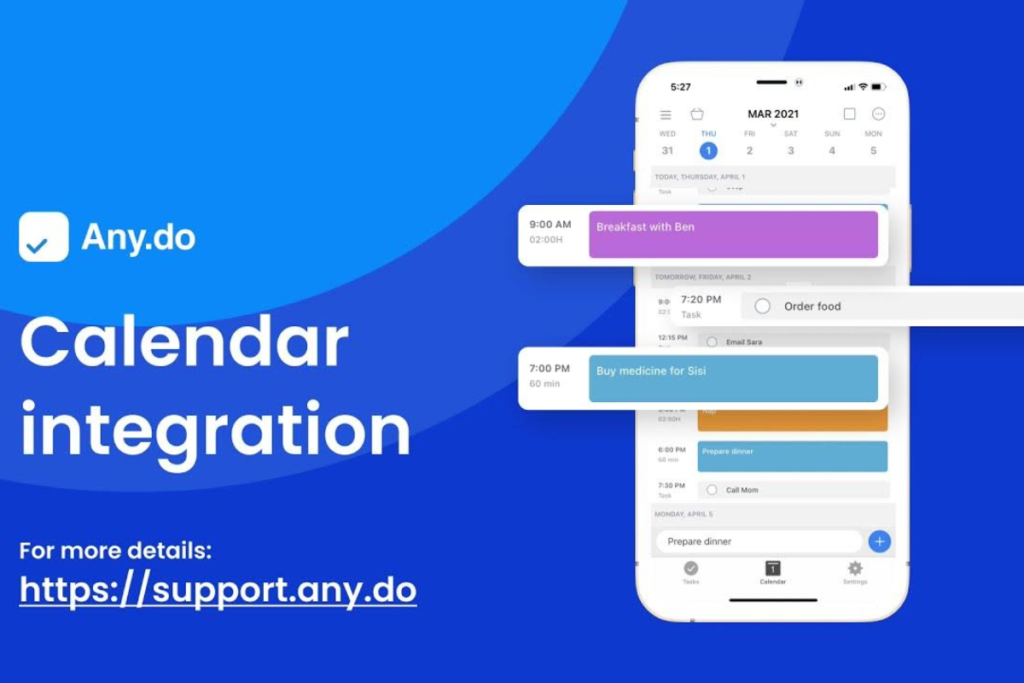
Any.do offers a middle ground between Todoist’s simplicity and feature-rich alternatives. The platform combines task management with calendar integration, providing a unified view without overwhelming complexity.
The “Plan My Day” feature prompts you each morning to review and prioritize tasks, similar to Todoist’s Today view but with added calendar context. Natural language input makes task creation quick—just type “lunch with Sarah next Tuesday” and Any.do handles the rest.
Calendar integration displays events and tasks together, though not as seamlessly as calendar-first platforms. The interface remains clean and approachable, making onboarding straightforward for Todoist users. Collaboration features allow shared lists and task assignment for families or small teams.
Any.do includes basic location-based reminders and WhatsApp integration for certain notifications. The mobile apps offer strong functionality, though some users report occasional sync delays. At $5.99 monthly, premium pricing sits between Todoist and more feature-rich alternatives, positioning Any.do as a modest upgrade rather than a transformative change.
Best Todoist Alternatives in 2026
- Fhynix – AI-powered daily planner with WhatsApp integration for task capture, reminders, and execution.
- TickTick – Task manager with calendar view, habit tracking, and Pomodoro timer.
- Microsoft To Do – Free and simple task manager with My Day planning.
- Any.do – Clean planner combining tasks with calendar scheduling.
- ClickUp – All-in-one productivity platform with tasks, docs, and workflows.
- Trello – Visual task management using Kanban boards.
- Morgen – Calendar-first productivity tool with time blocking and scheduling.
Frequently Asked Questions
What are the best Todoist alternatives in 2026 based on features like AI planning, WhatsApp reminders, and daily execution?
The best Todoist alternatives in 2026 include Fhynix, TickTick, Microsoft To Do, Any.do, ClickUp, Trello, and Morgen. These tools offer features like calendar planning, habit tracking, and AI-powered productivity.
Which Todoist alternative is best for AI productivity?
Fhynix is one of the best AI-powered Todoist alternatives. It automatically plans your day, prioritizes tasks, and integrates with WhatsApp for reminders and task capture.
Is there a free alternative to Todoist?
Yes, Microsoft To Do is a popular free alternative. It offers simple task management and daily planning features at no cost.
Why is WhatsApp-based task management better?
WhatsApp-based task management improves execution because users already check WhatsApp frequently. This increases visibility of reminders and helps users follow through more consistently.
What is the difference between Todoist and Fhynix?
Todoist is a task manager for organizing tasks, while Fhynix is an AI-powered system that plans your day, prioritizes tasks, and sends reminders via WhatsApp to improve execution.