
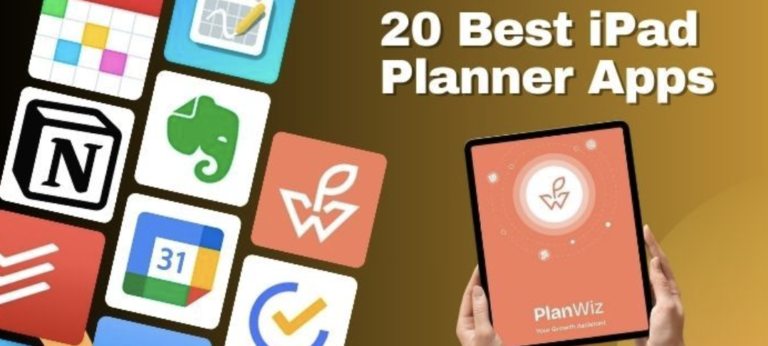
In 2026, the iPad continues to be an indispensable tool for various user groups, from remote workers and students to entrepreneurs, families, and professionals. With the right apps, it can transform into a powerful workstation, organizer, and communication hub.
This guide on Best iPad Apps for 2026: Best Picks for Everyone highlights the best iPad apps across different categories, with a special focus on how Fhynix AI enhances productivity and time management. You can download Fhynix here ios or android
The iPad has evolved into much more than a tablet; it’s a versatile powerhouse that adapts to your lifestyle, whether you’re managing work projects, organizing family schedules, pursuing creative endeavors, or simply staying productive on the go.
In 2026, the right combination of apps can transform your iPad into an indispensable tool that simplifies daily life and maximizes productivity.
This comprehensive guide explores the five best iPad apps across different user categories, with a special focus on how Fhynix revolutionizes time management and productivity through AI-powered scheduling and intelligent calendar integration.
Your iPad deserves a smarter calendar.
Unified timeline – work, family, study in one view
WhatsApp reminders – meet you where you already are
Natural language input – just type or speak
Syncs with Apple Calendar – feels native on iPad
the smart iPad companion
Why iPad Apps Matter in 2026?
Before diving into specific recommendations, it’s worth understanding what makes iPad apps so valuable. The iPad’s large screen, Apple Pencil compatibility, and powerful processors create an ideal environment for productivity, creativity, and organization. When paired with thoughtfully designed apps, your iPad becomes an extension of your workflow—whether you’re in a coffee shop, classroom, home office, or traveling.
The key is finding apps that not only leverage the iPad’s capabilities but also integrate seamlessly with your daily routines and existing tools.
Best iPad Apps for Remote Workers
Remote work demands tools that facilitate seamless communication, task management, and scheduling.
1. Zoom – Virtual Meetings Simplified
Zoom remains a staple for video conferencing, offering high-quality video and audio, screen sharing, and breakout rooms.
Use Case: A remote marketing team conducts weekly strategy meetings via Zoom, utilizing breakout rooms for brainstorming sessions.
2. Slack – Real-Time Team Communication
Slack enables instant messaging, file sharing, and integration with various tools, fostering real-time collaboration.
Use Case: A product development team uses Slack channels to coordinate tasks, share updates, and integrate with tools like Jira for seamless project management.
3. Jira – Efficient Project Tracking
Jira offers robust project tracking, issue management, and agile reporting, essential for software development teams.
Use Case: An engineering team tracks sprint progress, assigns tasks, and monitors bug fixes, ensuring timely product releases.
4. Notion – All-in-One Workspace
Notion combines note-taking, task management, and database functionalities, serving as a centralized workspace.
Use Case: A content team maintains an editorial calendar, drafts articles, and collaborates on content strategies within Notion.
5. Fhynix – Smart Scheduling Assistant

We have done research on 10 Best AI Apps and how it integrates AI to manage calendars, send WhatsApp reminders WhatsApp Reminders, and streamline event scheduling. If you are still not convinced on reminders, check research on why daily reminders matter
Use Case: A remote employee uses Fhynix to consolidate multiple calendars – work meetings, personal appointments, and family events, receiving timely reminders via WhatsApp.
Your iPad deserves a smarter calendar.
Unified timeline – work, family, study in one view
WhatsApp reminders – meet you where you already are
Natural language input – just type or speak
Syncs with Apple Calendar – feels native on iPad
the smart iPad companion
Best iPad Apps for College Students
College students benefit from apps that aid in note-taking, organization, and time management.
1. Notion – Versatile Organizational Tool

Notion offers a flexible platform for managing class notes, assignments, and schedules.
Use Case: A student creates a dashboard in Notion to track coursework, deadlines, and personal goals.
2. Concepts – Creative Note-Taking
Concepts provides an infinite canvas for sketching, mind mapping, and taking visual notes.
Use Case: An art student uses Concepts to brainstorm project ideas and create digital portfolios.
3. Pixelist – Habit Tracking Made Fun
Pixelist gamifies habit tracking, helping students build and maintain positive routines.
Use Case: A student tracks study sessions and exercise routines, staying motivated through visual progress.
Your iPad deserves a smarter calendar.
Unified timeline – work, family, study in one view
WhatsApp reminders – meet you where you already are
Natural language input – just type or speak
Syncs with Apple Calendar – feels native on iPad
the smart iPad companion
4. Todoist – Task Management Simplified
Todoist helps students manage tasks and deadlines with intuitive to-do lists and reminders.
Use Case: A student organizes assignments and exam preparation using Todoist’s priority levels and labels.
5. Fhynix – AI-Powered Calendar Integration

Fhynix consolidates academic schedules, extracurricular activities, and personal events into a unified calendar.
Use Case: A student uploads images on AI or uses voice to manage classes, study sessions, and club meetings, ensuring nothing is overlooked.
Best iPad Apps for Entrepreneurs
Entrepreneurs require tools that streamline operations, enhance productivity, and facilitate communication.
1. Perplexity – Quick Research Assistant
Perplexity.AI provides concise answers and summaries, aiding in swift decision-making.
Use Case: An entrepreneur uses Perplexity to gather market insights and competitor analysis efficiently.
2. Saner.AI – AI-Powered Note and Task Manager
Saner.AI combines note-taking and task management with AI capabilities for enhanced organization.
Use Case: A founder captures ideas and to-dos in Saner.AI, which intelligently categorizes and prioritizes tasks.
Your iPad deserves a smarter calendar.
Unified timeline – work, family, study in one view
WhatsApp reminders – meet you where you already are
Natural language input – just type or speak
Syncs with Apple Calendar – feels native on iPad
the smart iPad companion
3. Quillbot – Writing Enhancement Tool /
Quillbot assists in refining written content, ensuring clarity and professionalism.
Use Case: An entrepreneur uses Quillbot to polish emails, proposals, and marketing materials.
4. Canva – Design Made Easy https://www.canva.com/
Canva offers user-friendly design tools for creating marketing materials, presentations, and social media graphics.
Use Case: A startup designs pitch decks and promotional content using Canva’s templates and customization options.
5. Fhynix – Intelligent Scheduling for Busy Founders
Fhynix AI helps entrepreneurs manage meetings, deadlines, and personal commitments through AI-driven scheduling.
Use Case: A founder receives WhatsApp reminders for investor meetings, product launches, and family events, maintaining a balanced schedule.
Your iPad deserves a smarter calendar.
Unified timeline – work, family, study in one view
WhatsApp reminders – meet you where you already are
Natural language input – just type or speak
Syncs with Apple Calendar – feels native on iPad
the smart iPad companion
Best iPad Apps for Families
Families benefit from apps that enhance communication, organization, and shared experiences.
1. Cozi Family Organizer – Shared Calendar and Lists
Cozi helps families coordinate schedules, grocery lists, and meal plans in one place.
Use Case: Parents and children sync their activities, ensuring everyone is informed of upcoming events.
2. OurHome – Task Management for Families
Our Home assigns chores and responsibilities, promoting accountability among family members.
Use Case: Children earn points for completing tasks, which can be redeemed for rewards set by parents.
3. Trello – Visual Planning Boards
Trello boards and cards help families plan vacations, projects, and weekly activities.
Use Case: A family organizes a home renovation project, tracking progress and responsibilities in Trello.
4. Google Keep – Shared Notes and Reminders
Google Keep Keep allows for quick note-taking and sharing, ideal for shopping lists and reminders. Tom’s Guide gives more on note-taking apps
Use Case: Family members add items to a shared grocery list, ensuring nothing is forgotten during shopping trips.
5. Fhynix – Unified Family Scheduling
Fhynix family calendar apps integrates individual calendars, sending WhatsApp reminders for family events and appointments. There are 5 more Shared Calendar Apps that we feel can be very useful to you
Use Case: A family uses one consolidated calendar to stay on top of things!
Your iPad deserves a smarter calendar.
Unified timeline – work, family, study in one view
WhatsApp reminders – meet you where you already are
Natural language input – just type or speak
Syncs with Apple Calendar – feels native on iPad
the smart iPad companion
Best iPad Apps for Working Professionals
Professionals need apps that enhance productivity, communication, and time management.
1. Microsoft Outlook – Email and Calendar Management
Outlook combines email, calendar, and contacts, streamlining communication and scheduling.
Use Case: A professional manages work emails and schedules meetings efficiently within Outlook.
2. Evernote – Note-Taking and Organization
Evernote helps capture ideas, meeting notes, and to-do lists, syncing across devices.
Use Case: An executive organizes project notes and reference materials for easy access during meetings.
3. Dropbox – Cloud Storage and File Sharing
Dropbox allows for secure storage and sharing of documents, facilitating collaboration.
Use Case: A team shares project files and updates in real-time, ensuring everyone has the latest information.
4. LiquidText – Document Review and Annotation
Liquidtext enables interactive reading and annotation of documents, ideal for research and analysis Lifewire.com has more options for you.
Use Case: A lawyer reviews case files, highlighting and linking relevant sections for quick reference.
5. Fhynix – AI-Driven Time Management
Consolidates work and personal calendars, sending WhatsApp reminders for meetings and deadlines. Here are more suggestion on 5 time manageement tools and techniques and they can make life really easy for you.
Use Case: A professional asks AI to show upcoming meeting on a specific date without opening a calendar!
The iPad’s versatility in 2026 is amplified by the plethora of apps available for various user needs. Whether you’re working remotely, studying, managing a family, or running a business, the right combination of apps can significantly enhance productivity and organization.
Your iPad deserves a smarter calendar.
Unified timeline – work, family, study in one view
WhatsApp reminders – meet you where you already are
Natural language input – just type or speak
Syncs with Apple Calendar – feels native on iPad
the smart iPad companion
Fhynix, with its AI-powered scheduling and WhatsApp reminders, stands out as a valuable tool across all these domains, helping users stay on top of their commitments effortlessly. As you pick your best app, also take https://fhynix.com/why-is-time-management-important-japanese-wisdom-and-modern-life/
Maximizing Your iPad Productivity with Fhynix
What sets Fhynix apart from other productivity apps is its holistic approach to time management. Rather than forcing you to adapt to rigid systems, Fhynix adapts to your natural communication style and existing workflows.
Key Benefits Across All User Groups:
1. Natural Language Processing: Instead of navigating complex menus, simply tell Fhynix what you need in plain English (or your preferred language). “Coffee with Mom every Sunday at 10 am” instantly becomes a recurring event.
2. WhatsApp Integration: In our always-connected world, WhatsApp reminders meet you where you already are, eliminating the need to constantly check calendar apps.
3. Multi-Calendar Consolidation: Whether you’re managing work, personal, family, and hobby calendars, Fhynix presents a unified view that eliminates scheduling conflicts and ensures nothing is overlooked.
4. AI-Powered Optimization: Fhynix learns your patterns and preferences, offering intelligent suggestions for scheduling recurring activities and optimizing your daily routine.
Making the Right Choice for Your Needs
Selecting the best iPad apps depends on your specific requirements, workflow preferences, and goals. Here’s a quick decision framework:
- For Productivity Focus: Start with Fhynix for time management, add Notion for detailed planning, and include Todoist for task tracking. Explore additional best productivity apps to round out your toolkit.
- For Remote Work: Combine Zoom, Slack, and Outlook with Fhynix to ensure seamless communication and scheduling across time zones and teams.
- For Students: Pair GoodNotes or Notability with Fhynix to balance note-taking excellence with scheduling consistency. Consider best ADHD planners if you need additional structure.
- For Entrepreneurs: Use Canva for brand building, Perplexity for research, and Fhynix for time allocation. Implement schedule maker AI tools to automate routine scheduling decisions.
- For Families: Implement Cozi or OurHome for task sharing while using Fhynix as your central scheduling hub with best shared calendar apps features.
Getting Started with Your New Productivity System
Ready to transform your iPad into a productivity powerhouse? Here’s your action plan:
Step 1: Download Fhynix for iOS or Android to establish your central time management hub.
Step 2: Connect your existing calendars (work, personal, family) to create a unified view of your commitments.
Step 3: Set up WhatsApp reminders for your most important recurring events and deadlines.
Step 4: Add complementary apps based on your primary use case (note-taking, design, collaboration, etc.).
Step 5: Spend one week experimenting with your new system, adjusting settings and workflows to match your natural rhythms.
Step 6: Review and refine your setup, removing apps that don’t serve your needs and optimizing those that do.
Your iPad deserves a smarter calendar.
Unified timeline – work, family, study in one view
WhatsApp reminders – meet you where you already are
Natural language input – just type or speak
Syncs with Apple Calendar – feels native on iPad
the smart iPad companion
The Bottom Line
The five best iPad apps for 2026, led by Fhynix‘s AI-powered scheduling and intelligent calendar integration, offer something for everyone, from remote workers and students to entrepreneurs and families. The key is finding the combination that aligns with your unique needs, workflow preferences, and goals.
Fhynix distinguishes itself by understanding that effective time management isn’t about cramming more activities into each day; it’s about making intentional choices about where to invest your limited hours. By consolidating calendars, offering natural language input, and delivering timely WhatsApp reminders, Fhynix ensures you spend time on what truly matters.
Start your productivity transformation today by exploring Fhynix and discovering how AI-powered scheduling can simplify your life while amplifying your effectiveness.
Download Fhynix Today: