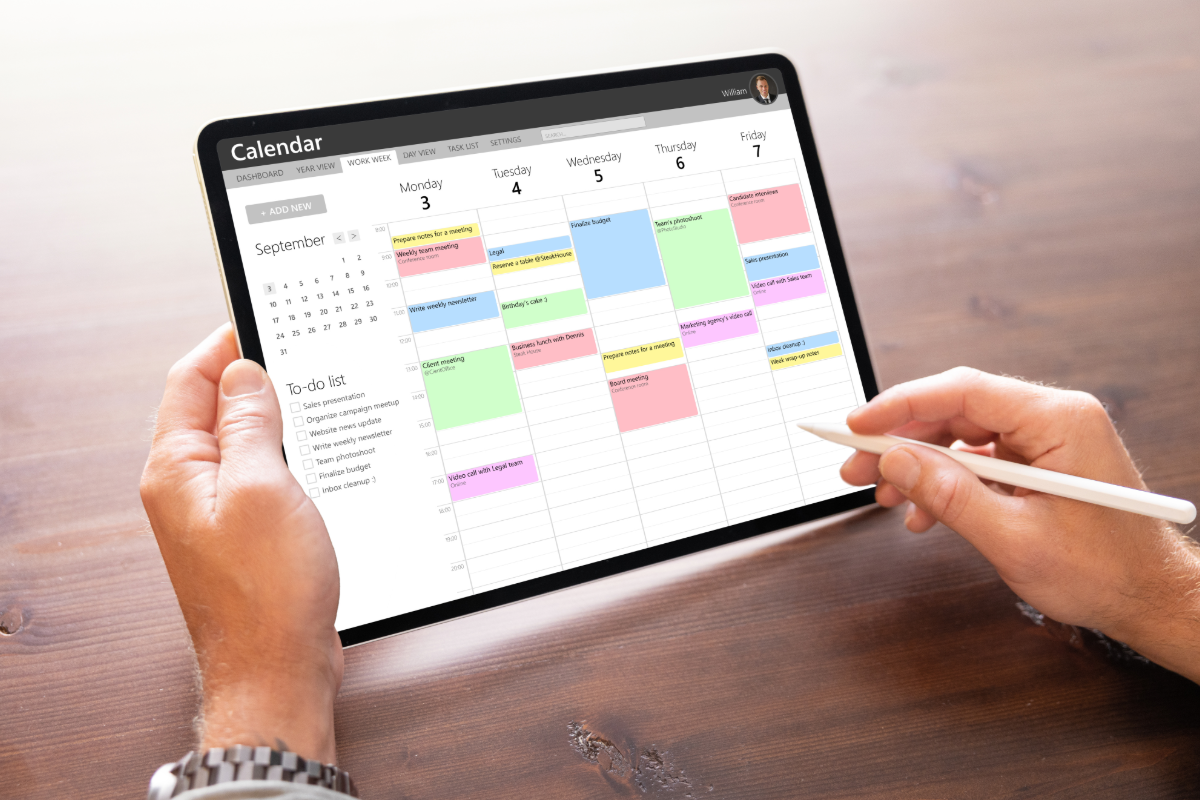
If you’re exploring alternatives to Akiflow, you’re not alone. While Akiflow has built a reputation as a powerful time management platform, its premium pricing and feature set don’t work for everyone. Whether you’re seeking more affordable options, better calendar integration, or enhanced task management capabilities, several compelling alternatives deserve your attention in 2026.
The landscape of productivity tools has evolved significantly, with new players offering innovative approaches to help you manage your time effectively. From AI-powered scheduling assistants to minimalist task managers, these alternatives bring unique strengths that might align better with your workflow and budget.
Why Look for Akiflow Alternatives?
Akiflow presents several challenges that prompt users to seek alternatives. The most significant concern is pricing—at $34 per month for annual billing or $49 monthly, it positions itself at the premium end of the market. This investment may not be justified for solopreneurs, students, or small teams working with tight budgets.
Beyond cost considerations, Akiflow’s feature complexity can overwhelm users who prefer streamlined solutions. The learning curve is steep, and some users find themselves paying for advanced capabilities they rarely utilize. Additionally, while Akiflow excels at task consolidation, it sometimes lacks the depth in specific areas like habit tracking or collaborative features that certain users require.
Mobile experience represents another area where users seek improvement. If you’re frequently managing tasks on the go, you’ll want the best productivity apps that offer seamless mobile functionality without compromising on features.
1. Fhynix – Best Calendar-First Planning Alternative
Pricing: 3-day free trial, and an annual of $15
Fhynix emerges as the most comprehensive alternative, combining intelligent task management with a calendar-first approach that keeps your entire day visible in one unified timeline. What sets Fhynix apart is its commitment to making powerful productivity tools accessible to everyone, not just those with enterprise budgets.
Key Features
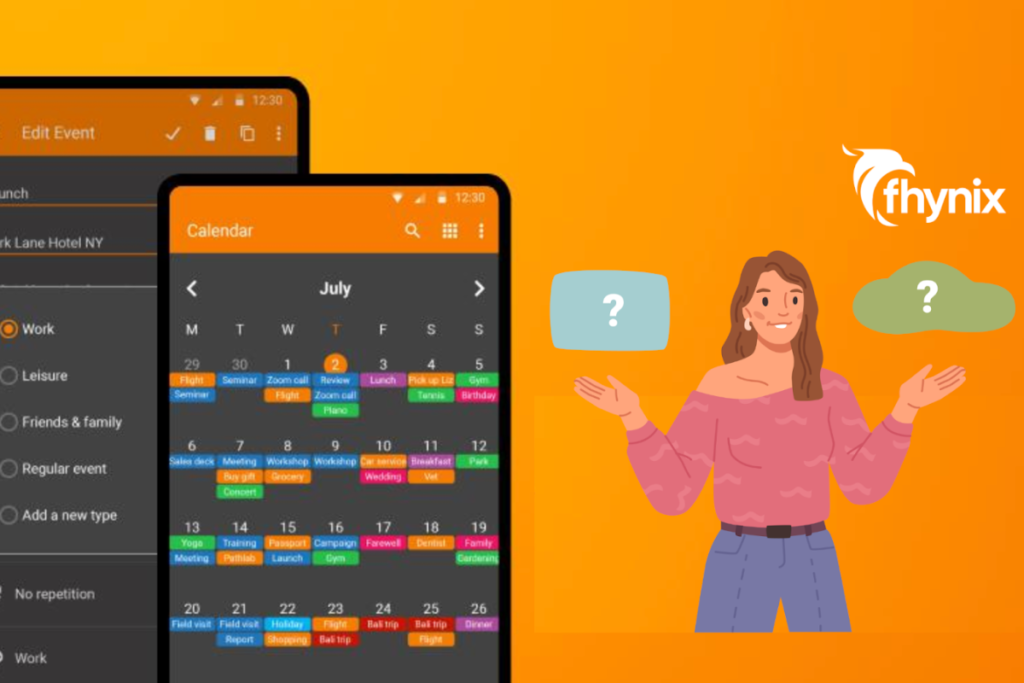
The platform’s standout feature is its innovative approach to task management—your to-dos aren’t buried in separate lists but appear directly in your calendar timeline alongside events. This creates one unified planner for all your daily routines and events, eliminating the mental overhead of juggling multiple views.
Adding tasks is remarkably intuitive. Simply type or speak naturally—”Pay bills tomorrow at 4 pm” or “Team meeting next Tuesday”—and Fhynix’s AI interprets your intent, automatically creating tasks or events with proper timing. The voice input feature makes capture effortless, even when you’re on the move.
Fhynix’s color-coded calendar helps you visually distinguish between work, personal, fitness, and family commitments at a glance. The platform consolidates events from multiple sources—Google Calendar, Outlook, Apple Calendar—so you see everything in one place without constant context-switching.
WhatsApp reminder integration ensures you never miss important events. Reminders arrive via WhatsApp approximately 24 hours in advance, plus a helpful 10-minute alert before the event begins. This dual-channel approach (WhatsApp + in-app notifications) proves especially valuable for users who might miss standard push notifications.
For building consistency, Fhynix offers robust habit and routine tracking. Set up recurring tasks, track your daily habits, and access productivity insights that reveal patterns in your schedule. The platform helps you understand when you’re most productive and where your time actually goes.
Mobile apps for iOS and Android deliver full functionality, with Apple Watch support on iOS. Whether you’re managing your schedule from your phone, tablet, or wrist, Fhynix maintains a seamless experience across devices.
Why Choose Fhynix Over Akiflow
The value proposition is compelling. At less than one-sixth of Akiflow’s cost, Fhynix delivers comparable functionality with a gentler learning curve. The calendar-first interface embraces simplicity without sacrificing power, making it accessible for new users while offering depth for productivity enthusiasts.
Unlike traditional task managers that separate your to-dos from your timeline, Fhynix recognizes that tasks belong in your calendar—not on a separate list. This integration helps you realistically assess what you can accomplish each day, preventing over-commitment and the stress that follows.
The free plan offers substantial functionality, letting you test-drive the platform risk-free before committing to premium features. Users consistently praise the intuitive layout and the WhatsApp reminders that keep them accountable without requiring constant app checking.
Most importantly, Fhynix continuously evolves based on user feedback. Features like AI calendar capabilities, image uploads for bulk event entry (upload a holiday schedule photo and let AI convert it to events), and support for multiple calendars demonstrate the platform’s commitment to practical innovation. For those serious about time management tools and techniques, Fhynix represents an investment that grows with your needs.
2. Motion – AI-Powered Scheduling Excellence
Pricing: $34/month (annual) or $62/month
Motion leverages artificial intelligence to automatically schedule your tasks and meetings, positioning itself as an “intelligent calendar” that thinks ahead. The platform excels at dynamic rescheduling—when appointments shift or tasks take longer than expected, Motion recalibrates your entire day in seconds.
The AI considers task duration estimates, deadlines, priorities, and your existing commitments to create realistic schedules. Unlike static planners, Motion adapts throughout your day, ensuring nothing falls through the cracks. For teams, it offers meeting scheduling that respects everyone’s preferences and availability.
However, Motion’s pricing matches Akiflow’s premium tier, making it less accessible for budget-conscious users. The AI can also feel overly prescriptive for those who prefer more manual control over their schedules.
3. Sunsama – Mindful Productivity Approach

Pricing: $20/month (annual) or $30/month
Sunsama takes a deliberately calm approach to productivity, emphasizing intentional planning over frantic multitasking. Each day begins with a planning ritual where you review your calendar, pull in tasks from integrated tools, and set realistic goals for the day.
The platform integrates beautifully with popular tools like Asana, Trello, Gmail, and Slack, acting as a unified command center. Its unique timeboxing interface lets you drag tasks directly onto your calendar, visualizing exactly how your day will unfold. End-of-day reviews encourage reflection on accomplishments and preparation for tomorrow.
Sunsama’s philosophy appeals to those combating burnout or seeking more balanced productivity. The guided planning process helps prevent over-commitment. However, at $20 monthly, it sits in the mid-tier pricing range and lacks some of the automation features power users expect.
4. Todoist – Lightweight Task Management
Pricing: Free plan; Premium at $4/month (annual)
For users who find Akiflow overwhelming, Todoist offers refreshing simplicity. This veteran task manager focuses on doing one thing exceptionally well—helping you capture, organize, and complete tasks without unnecessary complexity.
Natural language processing lets you create tasks by typing phrases like “Submit report every Friday at 2pm,” which Todoist automatically interprets and schedules. Project hierarchies, labels, and filters provide organizational flexibility without cluttering the interface. Integration with numerous third-party apps extends functionality as needed.
The premium tier costs just $4 monthly, making it one of the most affordable options. Todoist works beautifully for individuals and small teams who prioritize straightforward task management over elaborate time blocking. However, it lacks the integrated calendar view and advanced scheduling features that define modern productivity platforms.
5. TickTick – Feature-Rich Budget Option

Pricing: Free plan; Premium at $27.99/year
TickTick delivers remarkable value, packing calendar integration, habit tracking, Pomodoro timer, and task management into an affordable package. At under $30 annually, it costs a fraction of Akiflow while offering comparable breadth.
The built-in calendar view displays tasks alongside events, though not as seamlessly integrated as more modern alternatives. Habit tracking includes customizable reminders and progress statistics. The Pomodoro timer helps maintain focus during work sessions, with built-in break reminders to prevent burnout.
TickTick’s flexibility shines through customizable smart lists, which automatically filter tasks based on criteria you define. Multiple reminder options ensure nothing slips through the cracks. While the interface feels slightly dated compared to newer alternatives, its comprehensive feature set justifies consideration.
Making Your Choice
Selecting the right Akiflow alternative depends on your specific needs and constraints. Budget-conscious users seeking comprehensive functionality should start with Fhynix—its free plan offers surprising depth, and premium pricing remains accessible for most budgets.
The calendar-first approach proves especially valuable for those who struggle with traditional task managers. When your to-dos appear directly in your timeline alongside events, you gain realistic insight into your actual capacity. This visual integration helps prevent the over-scheduling that leads to burnout and missed commitments.
If AI-driven automation justifies premium pricing for you, Motion delivers sophisticated scheduling intelligence. Those seeking mindful productivity over maximum output should explore Sunsama’s calming approach. For minimalists who want reliable task management without frills, Todoist remains unbeatable in its category.
Consider your workflow patterns as well. Do you need robust habit tracking apps integrated with your planner? Does your team require collaborative features through shared calendar apps? Will you primarily use desktop, mobile, or both? These questions guide your decision toward the platform that aligns with your reality.
For students managing classes and assignments, family coordinators juggling multiple schedules, or professionals balancing work and personal commitments, the unified view approach offers tangible benefits. Daily routine applications that integrate everything into a single timeline reduce cognitive load and help you stay present rather than constantly switching contexts.
Conclusion
The productivity tool landscape offers rich alternatives to Akiflow, each bringing unique strengths to your workflow. Fhynix stands out as the most balanced choice, combining powerful features, intuitive design, and accessible pricing that respects diverse budgets. Its calendar-first philosophy—placing tasks directly in your timeline—represents a fundamental shift in how we think about daily planning.
The best productivity system is one you’ll actually use consistently. Start with free trials, explore interfaces, and pay attention to which platform feels natural rather than forced. Your time is valuable—invest it in tools that enhance rather than complicate your life. When your planner works with your natural rhythms instead of against them, productivity stops feeling like a chore and becomes simply how you navigate your day.